
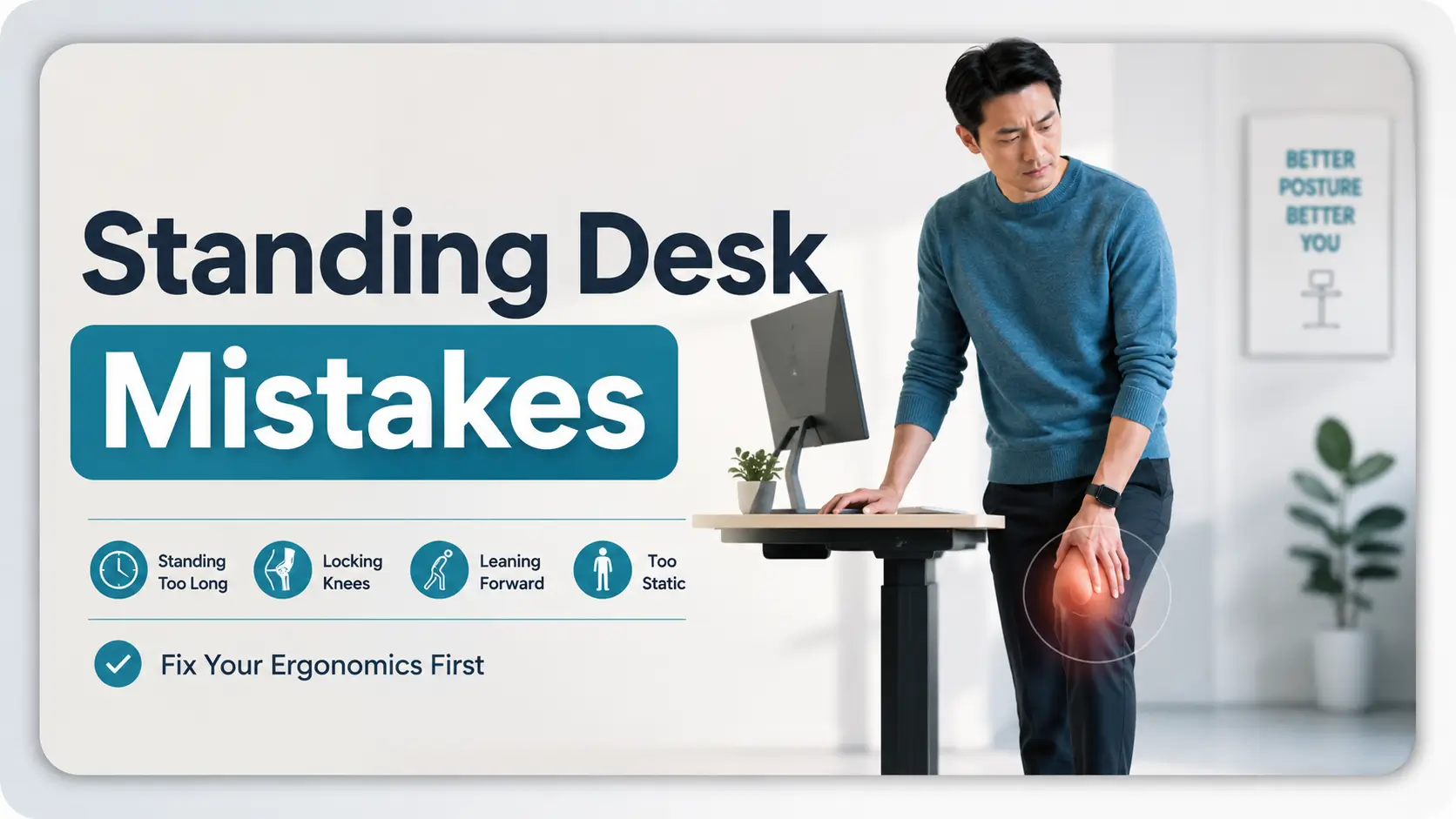
Standing desk ergonomics after knee pain
Standing Desk Mistakes After Knee Pain:
What to Fix First
A standing desk can look like the sensible answer when sitting has started to annoy your knee. Then Tuesday afternoon arrives, you have been standing through three meetings, one knee is stiff, the other leg has quietly taken over most of the workload, and the expensive desk suddenly feels less like an ergonomic upgrade and more like a very handsome lectern.
The problem is rarely that standing itself is universally “bad.” More often, the trouble comes from standing too long, standing too still, locking the knees, leaning into the desk, favoring one leg, or changing too many variables at once. A workstation can alter what aggravates your symptoms. It cannot tell you why the knee hurts.
This guide helps you troubleshoot the setup without turning your workday into a home medical experiment. You will learn what to change first, what is worth buying only after the free fixes are tested, how to track your response, and when the knee deserves professional attention instead of another desk accessory.
The target is not more standing. It is less time trapped in a position your knee dislikes. 🦵
Snapshot
This article is for desk workers whose knee discomfort appears, returns, or worsens during long periods of sitting or standing. It will help you separate workstation problems from medical warning signs, test one ergonomic variable at a time, compare free and paid options, and build a 15-minute desk reset you can use today.
Table of Contents
Before You Adjust the Desk
Safety / Disclaimer
This article offers general ergonomic information, not a diagnosis or individualized treatment plan. Knee pain can come from many different causes, and the appropriate amount of sitting, standing, walking, or exercise may differ by person and condition. If you have been given instructions after an injury, procedure, or diagnosis, follow your clinician’s guidance rather than a generic workstation rule.
A standing desk changes your exposure to a posture. It does not identify the source of pain. That distinction matters because two people can both say, “My knee hurts when I stand,” while needing very different medical or ergonomic decisions.
If your symptoms are mild, clearly linked to prolonged static desk time, and settle when you change position, careful workstation troubleshooting may be reasonable. If there was a significant injury, major swelling, difficulty bearing weight, marked instability, deformity, or a hot and red knee with fever, the desk should move down the priority list.
Key takeaway
Use ergonomics to reduce unnecessary irritation. Do not use ergonomics to explain away symptoms that deserve medical assessment.
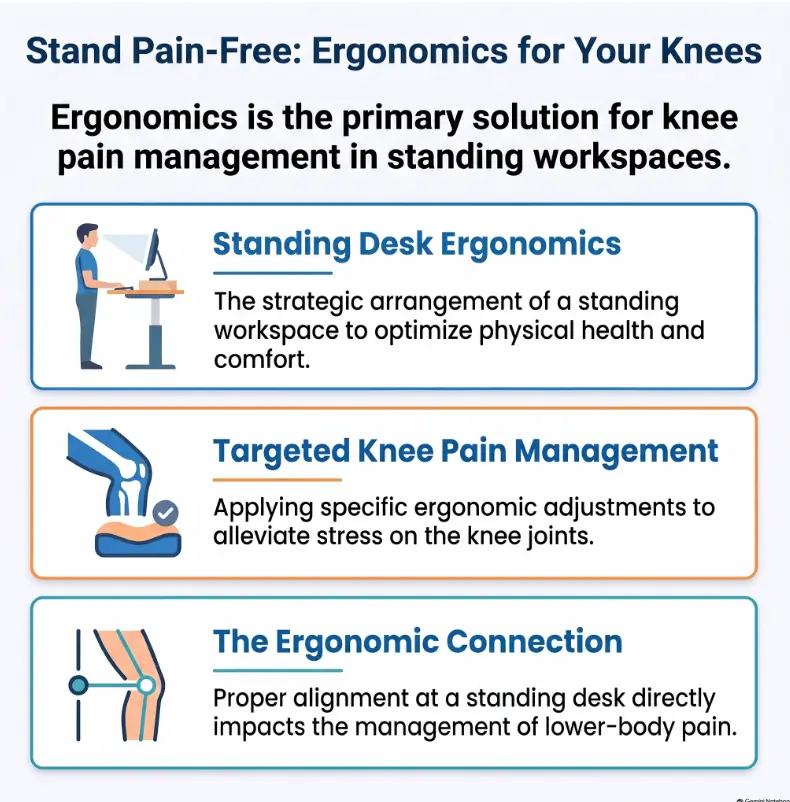
Who This Is For, and Who Should Not Desk-Hack Knee Pain
Best fit: desk workers whose knees complain during static postures
This guide is especially relevant to remote workers, programmers, designers, writers, analysts, customer-support staff, and office employees who spend large parts of the day in one place. Your discomfort may show up after sitting through a long project block, standing through calls, or repeatedly shifting between the two.
For someone in this group, the first question is not “Is sitting or standing healthier?” A more useful question is, “Which parts of my current work pattern are loading the same position for too long?”
Not the right experiment: recent injury, major swelling, or instability
If your knee changed dramatically after a fall, twist, collision, or other injury, workstation tuning should not become a delay tactic. The same applies if the knee gives way, locks, becomes markedly swollen, or makes normal walking difficult.
If you are preparing for an appointment, this site’s knee pain appointment checklist can help you organize symptoms, questions, and practical details before you go.
A standing desk changes exposure, not diagnosis
A desk adjustment can tell you something useful about tolerance. For example, you may discover that twenty minutes of relaxed standing is comfortable while seventy minutes of nearly motionless standing is not. That information can guide your work routine.
It still does not tell you whether the underlying issue comes from a joint, tendon, muscle, prior injury, inflammatory process, referred pain, or something else. Resist the temptation to turn a workstation experiment into a diagnostic test.
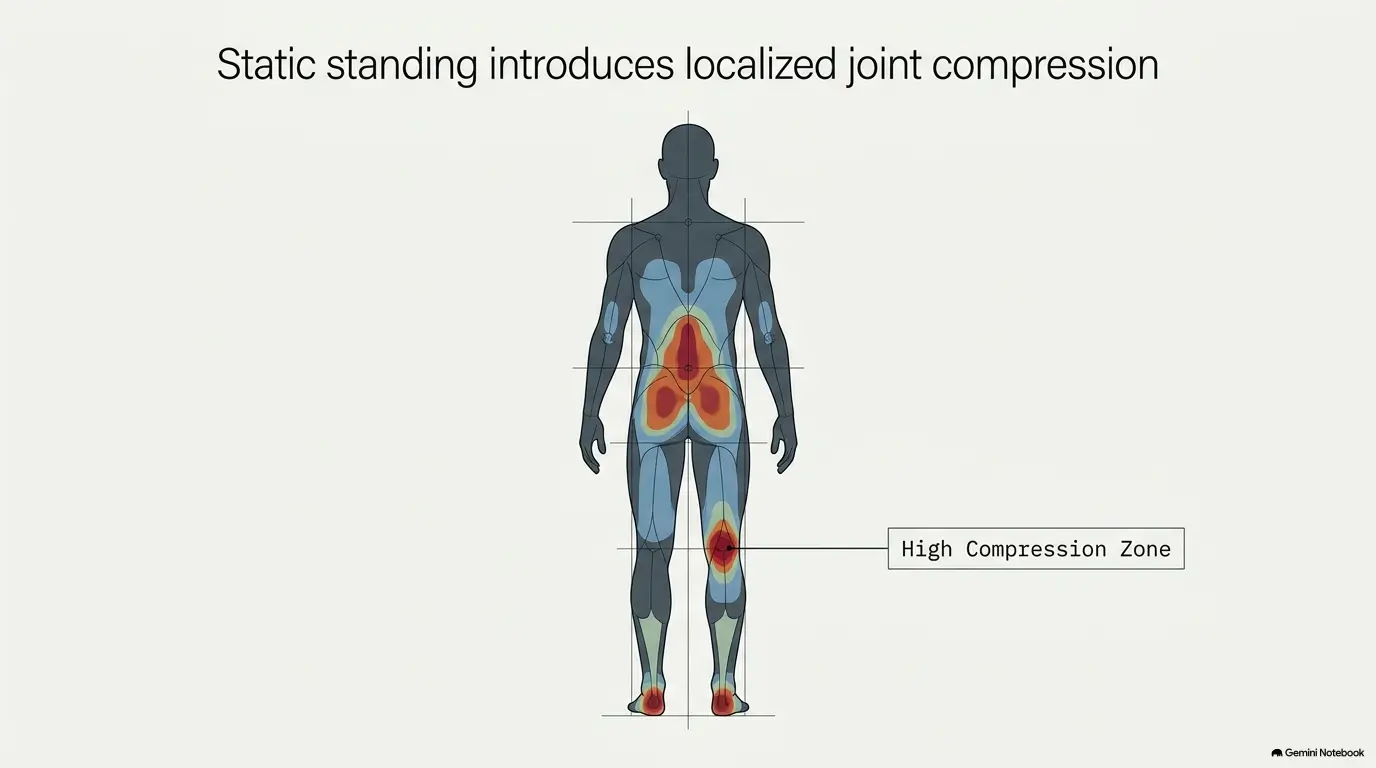
Standing Longer Feels Healthier. That Is the First Trap
Mistake #1: replacing hours of sitting with hours of standing
The standing desk sales pitch can accidentally create a false binary: sitting is the villain, standing is the rescue. Your knee does not care about the marketing story. It experiences time, load, position, fatigue, movement, and whatever underlying issue may already be present.
Prolonged standing can itself contribute to lower-limb fatigue and discomfort. The practical lesson is simple: switching from one static posture to another may move the problem rather than solve it.
Static standing is still static
There is a meaningful difference between standing at a workstation and moving around the room. During a short walk, your ankles, knees, hips, and trunk continuously change position. During desk standing, you may barely move except to reach for the mouse.
That is why the useful ergonomic target is often variation. Sit when sitting feels comfortable. Stand for manageable periods. Move briefly when practical. Change before a position turns into a test of endurance.
Here is the catch: your best posture may be your next posture
You do not need to spend the workday hunting for one sacred position. Even a technically tidy stance can become uncomfortable when held too long.
For a desk worker with a sensitive knee, a realistic day may include seated focus work, a short standing call, a trip to refill water, another seated block, and a few minutes working upright later. The variety matters more than achieving an impressive standing-time statistic.
Key takeaway
A sit-stand desk is most useful as a position-changing tool. It is not a standing quota machine.
Locked Knees: The Tiny Habit That Can Spoil a Good Setup
Mistake #2: standing at full knee extension
People trying to “stand correctly” often become more rigid than they realize. Knees straighten hard, the pelvis drifts forward, shoulders settle behind the hips, and the desk becomes something to brace against.
The result can look neat in a posture diagram while feeling terrible after forty minutes. A more useful cue is not to force a bend or hold an artificial pose. It is simply to avoid deliberate rigidity and leave yourself room to reposition.
Watch for the statue posture
- Knees feel rigid rather than relaxed.
- Hips drift toward the desk until you are leaning on its edge.
- One foot has barely moved for several minutes.
- You notice most of your weight has migrated to one leg.
- You stand through discomfort because the desk timer says the interval is not finished.
If three of those describe you, the problem may not require a new accessory. It may require permission to stop impersonating office furniture.
Better cue: relaxed legs and easy weight shifts
A comfortable stance should let you make small adjustments without ceremony. You might move one foot slightly, redistribute your weight, sit down, or walk to another part of the room.
Do not force a particular knee angle to “correct” pain. The aim is to reduce unnecessary bracing and static loading, not to prescribe a treatment position.
Desk Height, Flooring, and Footwear: The Variables Under the Radar
Your upper-body setup can change your lower-body stance
Knee troubleshooting tends to zoom in on the knee. The workstation, however, is a chain. If your keyboard is too far away, your monitor placement encourages a lean, or the desk height makes you brace your shoulders, the rest of your body often compensates.
A desk that is too low can invite you to fold forward or lean through your forearms. A desk that is too high may encourage shrugging, reaching, and torso stiffness. Neither automatically causes knee pain, but both can turn a simple standing period into a more demanding full-body posture.
OSHA’s computer workstation guidance is a useful neutral reference for arranging common workstation components without treating one body part in isolation.
Hard floors and shoes change the experience
A pair of shoes that feels fine during errands can feel very different during long, nearly stationary desk periods. Likewise, a hard kitchen tile floor and a more forgiving office surface create different standing experiences.
Look for comfort, stability, fit, and the ability to reposition easily. Avoid assuming that the softest surface or most cushioned shoe is automatically the best answer. If something makes you feel unstable or discourages natural foot movement, it may be solving the wrong problem.
Anti-fatigue mats: useful tool, not knee treatment
An anti-fatigue mat may make prolonged standing more comfortable for some people, especially on hard flooring. That makes it a reasonable comfort accessory to compare after the basic behavior issues are addressed.
It is not a treatment for unexplained knee pain, and it cannot compensate for hours of rigid standing. Before buying one, ask a practical question: What exact problem am I expecting this mat to solve?
| Setup level | What you change | Best for | What to verify |
|---|---|---|---|
| Good | Shorter standing bouts, easier position changes, reduced desk leaning | Budget-conscious workers testing whether behavior is the main issue | Symptoms improve without buying anything |
| Better | Add comfortable footwear or a suitable anti-fatigue mat | Workers on hard flooring who already fixed obvious posture habits | Stable footing, easy movement, sensible return policy |
| Best fit for a complex problem | Combine workstation review with clinician or ergonomic professional input when appropriate | Persistent symptoms, unusual work demands, or repeated failed adjustments | Provider qualifications, scope of service, cost, and whether recommendations are individualized |
Money-saving rule
Do not buy a mat, special shoe, footrest, balance board, stool, or ergonomic service because “standing desks need accessories.” Buy only when you can name the specific problem you are trying to improve.
Sit-Stand Timing: Stop Chasing the Perfect Ratio
There is no universal knee-friendly percentage
A tidy rule such as “stand exactly this many minutes every hour” is appealing because it removes uncertainty. Knee symptoms are less cooperative. Your tolerance may depend on your underlying condition, recent activity, flooring, footwear, work task, fatigue, and how you are standing that day.
Instead of chasing a universal ratio, use shorter experiments below the point where standing reliably becomes irritating. If discomfort begins after a particular interval several days in a row, do not keep testing the same interval as if your knee owes you a different answer.
Change position before discomfort becomes the alarm
Waiting until your knee is loudly unhappy creates a poor feedback system. Your cue to change can simply be the end of a work task, a meeting, a paragraph, or a natural break in concentration.
For someone with a sensitive knee, frequent modest changes are often easier to evaluate than one heroic standing block followed by an afternoon flare.
Short Story: The 90-Minute Standing Test
Imagine a remote editor named Maya who buys a sit-stand desk after several weeks of knee discomfort. On Monday she stands for ninety minutes because the desk feels new, expensive, and faintly virtuous. By lunch, her knee aches. She concludes that standing desks are terrible for knees.
On Tuesday she tries the opposite experiment. She sits all morning. The knee still becomes stiff, just in a different way.
On Wednesday she stops testing categories and starts testing exposure. She stands for a shorter block, sits before irritation builds, walks to refill her water, and notices that she has been leaning heavily into her left hip whenever she reads on screen.
Nothing magical happens. That is the useful part. She finally has information: prolonged stillness bothers her more than the desk’s height setting. The lesson is not that Maya found a cure. It is that smaller experiments produce cleaner clues.
Show me the nerdy details
Why does one-variable testing matter? Because ergonomic troubleshooting is a tiny experiment. If you change desk height, shoes, mat, standing duration, foot position, and chair on the same day, you have created six possible explanations for any change in symptoms.
A cleaner approach is to keep most variables stable, change one meaningful factor, and record the response during the work period and afterward. This does not diagnose the knee. It simply gives you better information about workstation tolerance.
Common Standing Desk Mistakes After Knee Pain
Mistake #3: shifting almost everything onto the “good” leg
Protective behavior can happen without conscious planning. One knee feels uncertain, so the other leg becomes the default support column. A few minutes may feel harmless. Repeating the same asymmetric stance for hours can create a new pattern of discomfort.
You do not need to force equal loading if that is uncomfortable or conflicts with medical instructions. Simply notice whether you are habitually escaping onto one side and whether it is time to sit, move, or seek guidance.
Mistake #4: waiting for pain to spike before sitting
Sitting down is not losing a contest. If a standing interval is predictably aggravating symptoms, ending it earlier is useful workload management.
Think of position changes as routine maintenance, not retreat. The purpose of the desk is to expand your options.
Mistake #5: changing the desk, shoes, mat, chair, and schedule at once
This is one of the most expensive mistakes because it hides the answer inside a shopping bag. If you feel better, you do not know which purchase mattered. If you feel worse, you do not know what to undo.
Test free behavior changes first. Then add one paid item only if it addresses a clear limitation you have already observed.
Mistake #6: treating worsening pain as proof you are adapting
New activities can feel unfamiliar, but persistent or escalating pain should not automatically be reframed as productive adaptation. If symptoms are worsening, carrying into normal walking, disturbing sleep, or restricting ordinary activities, that is useful information.
| Common mistake | Safer troubleshooting alternative |
|---|---|
| Stand until the timer ends, regardless of symptoms | Use shorter bouts and change position before discomfort builds |
| Lock the knees to maintain “perfect posture” | Avoid deliberate rigidity and allow natural repositioning |
| Favor one leg for long periods | Notice asymmetry and change position when comfortable |
| Buy several accessories immediately | Test one variable at a time |
| Assume every flare is normal adaptation | Track persistence, function, swelling, and recovery afterward |
| Keep adjusting the desk despite red flags | Shift from ergonomic testing to appropriate medical evaluation |
Key takeaway
The cheapest standing desk fix is often behavioral: shorter exposure, fewer rigid positions, and cleaner one-variable experiments.
Your Pain Pattern Changes the Plan More Than Your Desk Brand
Pain during standing is information, not a diagnosis
Where and when discomfort appears can help you describe the problem, but it should not tempt you into reverse-engineering a diagnosis from anatomy diagrams. Different knee problems can overlap in how they feel.
If your symptoms are inconsistent, the site’s guide to explaining pain that comes and goes can help you turn vague recollections into useful observations.
Track the trigger: standing, rising, stairs, walking, or sitting
Instead of writing “knee hurt today,” capture context. Did symptoms start while standing still? When rising from your chair? After walking? On stairs? After a long seated block? Did the discomfort fade within minutes of changing position, or linger for hours?
The site’s pain flare trigger log offers a broader framework if you want to track patterns across several days.
Look at what happens afterward
Workstation tolerance is not only about what happens at minute twenty-three of standing. Pay attention to whether symptoms settle soon after a position change or remain noticeable during normal walking, evening activities, sleep, or the following morning.
Simple symptom note
Position: sitting / standing / walking / transition
Duration: how long before symptoms appeared
During: what the discomfort felt like and whether function changed
Afterward: how quickly it settled, or whether it persisted
If you need to explain the effect on daily function rather than just rate pain, the site’s functional pain assessment guide may help you describe what activities have changed.
When to Seek Help Instead of Adjusting the Desk Again
Get prompt care after a significant injury
Seek timely medical attention if a significant injury is followed by severe pain, obvious deformity, sudden major swelling, or inability to bear weight. Those situations are not good candidates for a “maybe I need a softer mat” experiment.
A red, hot, swollen knee with fever deserves attention
A knee that is notably red, hot, or swollen, especially when accompanied by fever or feeling unwell, can require prompt assessment. Do not rely on workstation adjustments to manage a potentially urgent problem.
Instability, locking, or lost motion changes the equation
If the knee repeatedly gives way, locks, or you cannot bend or straighten it normally, describe those functional changes when arranging care. They may be more informative than simply saying the pain number is high.
Persistent pain counts too
Not every reason to seek help is dramatic. Pain that continues, worsens, disturbs sleep, limits normal daily activities, or repeatedly returns despite sensible workload changes deserves professional evaluation.
For quieter symptoms that are difficult to describe, the site’s guide on how to describe pain to an orthopedist can help you prepare a clearer history.
Key takeaway
When function is clearly changing, symptoms are escalating, or red flags appear, stop asking the desk to answer a medical question.
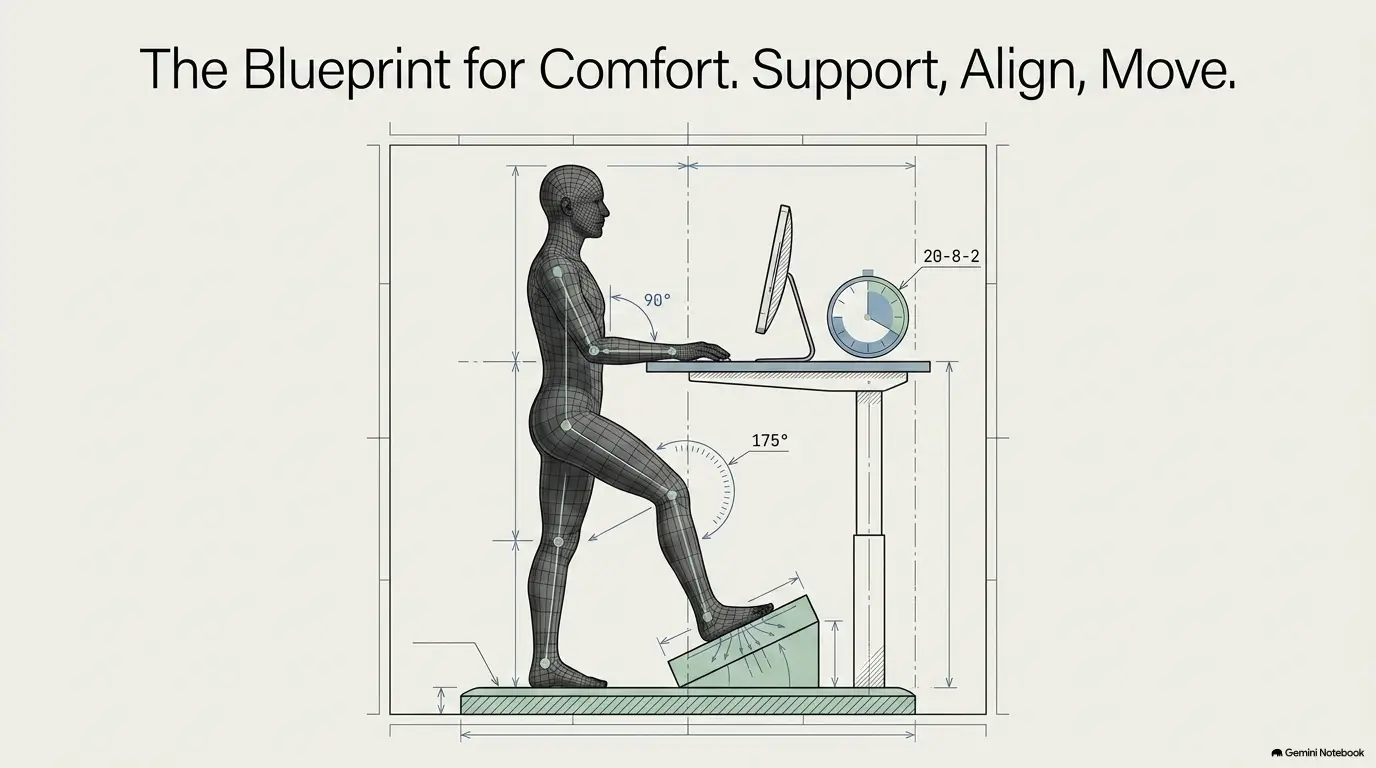
Standing Desk FAQ After Knee Pain
Is a standing desk better than sitting when my knee hurts?
Not automatically. Either sitting or standing can become uncomfortable when held too long, and the better option may change throughout the day. A sit-stand desk is valuable because it gives you another position, not because standing is guaranteed to be therapeutic.
Can standing too long make knee pain worse?
Prolonged static standing can contribute to lower-limb fatigue and discomfort in some people. If your knee consistently becomes more uncomfortable during long standing bouts, shortening those bouts and increasing position changes is a reasonable ergonomic experiment.
Should I stop using my standing desk completely?
Not necessarily. If you can use it comfortably for shorter periods, the desk may still be useful as part of a varied workday. If standing clearly aggravates symptoms, or a clinician has given you specific restrictions, follow those limits rather than forcing continued use.
How long should I stand at a standing desk with knee pain?
There is no universal knee-safe duration. Start with a duration that remains comfortably below your usual irritation point, then observe both the immediate response and what happens later. Do not increase standing time simply to meet a generic ratio.
Should I use an anti-fatigue mat for knee pain?
A mat may improve standing comfort on hard flooring for some people, but it is an ergonomic accessory rather than a knee treatment. Fix obvious issues such as excessive standing time, desk leaning, rigid posture, and poor position variety before assuming a mat is the missing piece.
Is leaning on one leg bad at a standing desk?
Briefly shifting your weight is a normal part of standing. The problem is spending long periods habitually parked on one side, especially if you are doing it to avoid using a painful or unstable knee. Notice the pattern and change position when comfortable.
Is walking better than standing still at a desk?
Walking and standing are different activities. Walking involves continuous changes in joint and muscle activity, while desk standing can be almost motionless. A short comfortable walk may therefore feel very different from another ten minutes planted beside the keyboard.
When should knee pain be checked by a doctor?
Seek prompt assessment for major injury, inability to bear weight, severe swelling, obvious deformity, or a hot and red knee with fever. Also consider evaluation for persistent or worsening pain, repeated instability or locking, loss of normal motion, sleep disruption, or symptoms that interfere with everyday life.
Next Step: Run a One-Variable Desk Reset Today
You do not need to rebuild your office this afternoon. In fact, rebuilding everything makes the troubleshooting worse. Give yourself fifteen minutes and turn the workstation back into a simple experiment.
Your 15-minute reset
- Look at your standing stance. Notice locked knees, desk leaning, one-sided weight-bearing, or feet that barely move.
- Check the workstation geometry. Make sure the keyboard and screen are not forcing you to reach, hunch, or brace.
- Shorten your next standing period. Do not test endurance. End the bout before the usual irritation point.
- Change one variable only. Choose standing duration, desk height, footwear, mat use, or position-changing frequency.
- Write down the response. Record position, duration, discomfort during the task, and what happened afterward.
Keep, abandon, or escalate
If a simple change clearly makes the workday more comfortable without creating new problems, keep it and observe for a few days. If a change reliably aggravates symptoms, abandon it rather than forcing adaptation.
If the pattern remains confusing, symptoms are persistent, or function is getting worse, stop treating the workstation as the main project. Bring your notes to an appropriate clinician. A short, specific record of what happens during sitting, standing, walking, stairs, and transitions is usually more useful than a vague memory of “sometimes it hurts.”
The rule worth remembering
The goal is not to stand more. The goal is to spend less time trapped in a position your knee dislikes, while recognizing when the problem has outgrown ergonomic troubleshooting.
Last reviewed: 2026-09