

Neck pain from laptop work needs two distinct questions: what makes the actual task difficult, and whether the symptoms need clinical advice. A laptop connects its screen and built-in input devices. Moving the screen can also change how far you reach. Review that connection before treating a stand, chair or monitor as the answer.
Use the six essential setup checks, compare connected layout constraints, read two fictional writing examples or download the private workstation record. This page focuses on whether a proposed arrangement fits the actual screen, input devices, space and work; it does not identify the cause of pain.
Clinical changes can take priority over equipment. NHS inform advises urgent clinical contact for worsening hand clumsiness, numbness, tingling or weakness in one or both arms; balance or walking problems since the neck pain started; or neck pain associated with a severe headache. These are selected examples, not a complete triage checklist. Use appropriate local urgent services, and local emergency services for an emergency. Do not wait for a workplace reply or a new accessory. NHS inform: Neck problems.
This is caregiver-written general education, not a diagnosis, individualized posture prescription, professional workstation assessment or return-to-work clearance. If you have a diagnosed condition, recent neck surgery or actual clinical restrictions, keep the relevant professional’s advice with the plan. Comfort alone cannot confirm a cause or recovery.
Table of Contents
Six essential checks for laptop work and neck pain
| Check | What to establish | Practical question |
|---|---|---|
| 1. Actual task | Reading, typing, calls, documents or portable work, at the place actually used. | What must I see, reach and use for this task? |
| 2. Connected layout | Screen, keyboard, pointing device, chair and desk considered together. | If I change one position, what else becomes harder or easier to use? |
| 3. Real constraints | Available space, device compatibility, shared-desk rules and setup help. | Can the proposed arrangement actually be used here? |
| 4. Proposed change | The suggestion, source and intended practical benefit. | Is this only an idea, an agreed change or equipment already available? |
| 5. Actual use and observation | Implemented or not implemented; ordinary-use observations already known. | What really happened without prolonging work or provoking symptoms? |
| 6. Actual answer and next owner | Workstation or clinical question, real reply and next agreed step. | Which unanswered issue needs the relevant person’s help? |
Unknown, not implemented and reply pending are useful entries. You do not need to buy equipment or complete every field before asking for support. A record can help explain a concrete difficulty without proving which tissue is responsible or rating the worker’s posture.
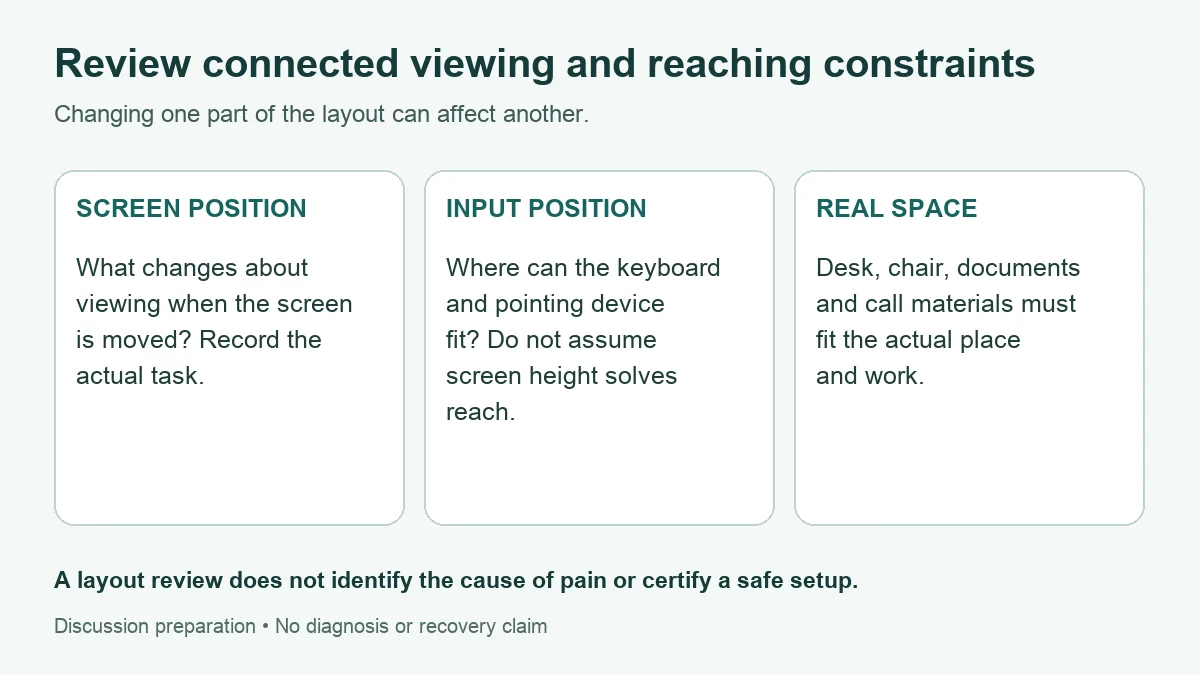
Compare connected screen, input and space constraints
The laptop’s built-in keyboard and screen cannot be positioned completely independently. Raising the whole device may change viewing while moving the keyboard and trackpad too. Separate input devices or a separate display can allow different arrangements, but their usefulness depends on where they fit and what the task requires. HSE’s laptop guidance considers separate keyboard, mouse and display arrangements for prolonged use; it is setup guidance, not evidence of a cure for an individual.
| Proposed change | Connected item to review | Question before treating it as a solution |
|---|---|---|
| Move or elevate the laptop screen | Built-in keyboard/trackpad reach, device stability and available surface. | Where will the hands actually work, and is an alternative input arrangement feasible? |
| Use a separate keyboard and mouse | Desk depth/width, pointing-device space, compatibility and storage. | Can both devices be placed for the actual task without crowding other needed materials? |
| Use an external display | Viewing direction, laptop location, input position and needed documents. | Will the work involve repeatedly turning between screens or reaching across equipment? |
| Change a video-call arrangement | Camera, displayed material, notes and input devices used during the call. | Can the person participate in the real call without losing access to required materials? |
| Use a different desk or portable location | Available adjustments, space, power, carrying and permission to use accessories. | Can the proposed arrangement be recreated at the actual location? |
| Change chair or desk position | Relationship to screen, inputs and the rest of the work surface. | What other part of the arrangement changes when this item moves? |
The table is an editorial discussion aid, not a required shopping list or personal setup specification. Record the constraint before selecting a product. A photo or product dimension may help explain space to a workstation adviser, but neither verifies comfort, clinical suitability or a professional assessment. Do not publish workplace documents or identifying health details to obtain feedback.
For a small desk, the useful question may be whether the essential input devices and documents can fit at all. For a shared desk, it may be whether the arrangement is available and permitted each time. A suggestion can be reasonable in general and still be unworkable in that place. Mark the barrier rather than describing a proposed solution as successfully implemented.
Match the arrangement to the actual task
| Task | What the preparation note should show | Issue to take to the relevant adviser |
|---|---|---|
| Reading / reviewing | What needs to remain visible and whether other material is used alongside it. | Viewing arrangement, text readability and available space. |
| Typing / data entry | Which input devices are actually used and where required material is placed. | Screen/input relationship and reach within the actual workspace. |
| Video calls | Camera, screen, notes and typing requirements already known. | A layout that supports participation and access to the materials. |
| Shared / portable work | Which locations and equipment are actually available, with constraints. | Whether the proposed arrangement can be used consistently or needs another approach. |
Do not stage an extra work session to fill this table. Describe the task from what you already know. If a detail is missing, a question such as “Can we review the desk and input arrangement together?” is more honest than inventing an ideal height or angle. This page does not prescribe fixed measurements for every reader.
Layout is also only part of the work. HSE’s work-routine guidance discusses breaks and changes of activity suited to the work, with opportunities to move or change posture. It does not supply a single required timing rule for every DSE task. A reminder application cannot itself arrange workload, staffing or opportunities to change activity. Ask about the actual work pattern rather than relying only on a timer or accessory.
If work demands or available support prevent the proposed arrangement, record the specific barrier and ask what assistance is available. A suggestion, equipment request, approval and actual use are separate facts. This guide guarantees no purchase, funding, workplace adjustment or change to duties.
Use workplace review and clinical advice for different questions
HSE’s workstation-assessment guidance considers the equipment, furniture, work conditions, task and individual requirements together. It also says software is not an assessment on its own and that a trained assessor should review results, clarify doubtful points and help ensure problems are addressed. The worksheet here prepares notes for that conversation; it is not an HSE assessment, official certification or substitute for professional review.
HSE is a UK authority. Its descriptions of employer duties have a UK legal context; they do not establish identical rights or processes in every country. For this guide, use the practical distinction between a request, the actual response and what was implemented. Ask the relevant employer, workstation adviser or occupational-health service what process applies locally.
| Question | Appropriate discussion focus | Keep separate |
|---|---|---|
| Equipment / layout | What fits the actual task and location; compatibility, implementation and support. | An equipment answer is not a clinical explanation or recovery finding. |
| Symptoms / health changes | Existing symptoms, changes already noticed, actual clinical advice and questions. | A more comfortable layout does not rule out a medical cause. |
| Work arrangements | What change is proposed, actually agreed, available and used. | A request is not approval; a worksheet is not permission to work. |
| Follow-through | Real answer, scope, agreed next owner and remaining barrier. | A booking or pending message is not an answer to the underlying question. |
For persistent, changing or worrying symptoms, seek appropriate clinical advice rather than treating another equipment purchase as the only next step. NHS inform also advises clinical contact when neck pain is accompanied by feeling generally unwell, relevant illness context, or new blurred vision, ringing in the ears or dizziness. Its guidance for new neck problems is not individual advice for a diagnosed condition or recent surgery. Use the appropriate local route; the organizer cannot determine urgency.
Keep observations descriptive: what was already noticed during ordinary work, what was actually used and what else may have changed. A symptom or comfort change is not a controlled experiment. Do not hold a posture, keep working to reproduce pain, change prescribed care or try an extra task to prove an effect. If care is needed, the record can remain incomplete.
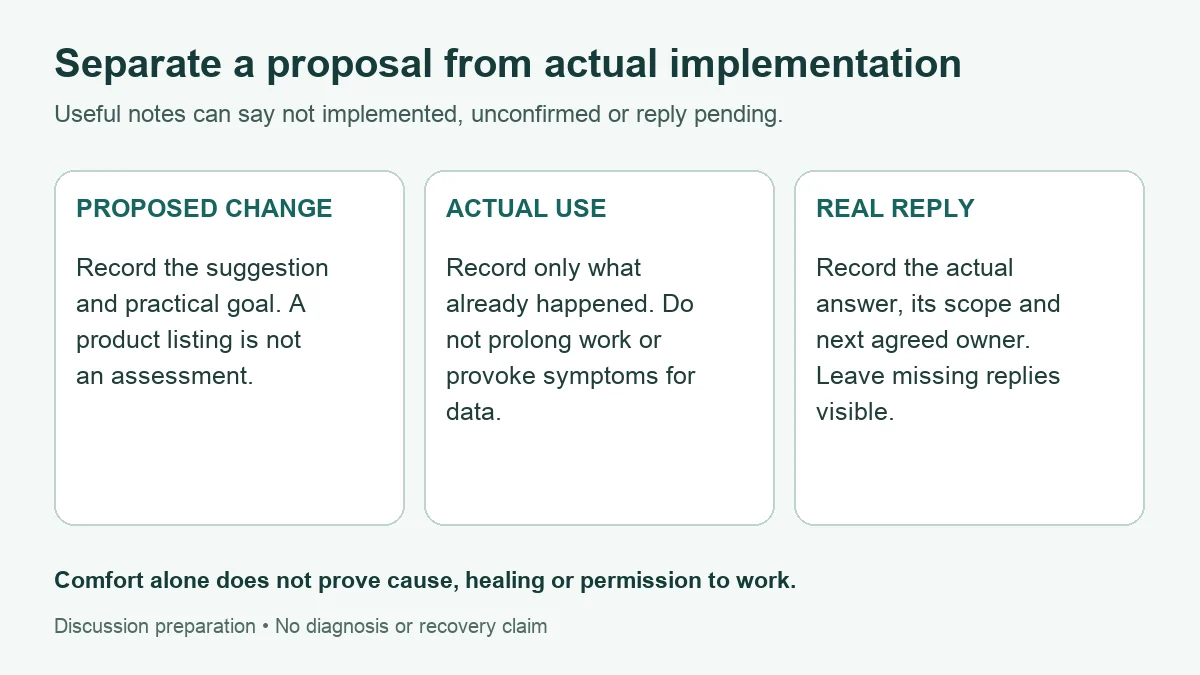
Two fictional examples: constraints stay visible
These are writing demonstrations, not worker cases, product tests or clinical outcomes. They deliberately leave implementation and answers unconfirmed. The example buttons replace entries and label the output fictional. No successful treatment or personal experience is claimed.
Example A: screen elevation and input space are linked
| Record area | Fictional entry |
|---|---|
| Actual task / layout | Typing and reading at a small home desk with a laptop and built-in keyboard. |
| Proposal / constraint | Considering screen elevation. Placement of a separate keyboard and pointing device is unresolved. |
| Actual use / observation | Proposed change not implemented. No extra work or discomfort test performed. |
| Contact / real answer | Workstation-support question prepared; not contacted and no answer supplied. Record actual advice and the next agreed step when received. |
The useful output is a specific space-and-reach question, not a recommendation to buy a stand. “Not implemented” prevents an idea from being mistaken for a tested arrangement. Clinical concerns remain a separate discussion even if a workable layout is later found.
Example B: the proposed arrangement is unavailable at a shared desk
| Record area | Fictional entry |
|---|---|
| Actual task | Document work and video calls at changing shared desks. |
| Barrier | The suggested accessory arrangement cannot yet be used at the actual desk; space and availability or permission are unconfirmed. |
| Actual use / existing observation | Not implemented. Existing difficulty arranging ordinary work is recorded; no new symptom test or cure claim. |
| Contact / actual reply | Specific workplace-support question sent in this fictional example; reply pending. No actual answer or clinical assessment supplied. |
The record keeps the implementation gap visible. A future equipment answer should be recorded with its actual scope; it does not become clinical advice. The next owner and follow-up remain unconfirmed until a real agreement is received.
Private layout, actual-use and real-reply record
Download a blank offline copy before entering real health, personal or workplace notes. Use fictional entries on this page because the surrounding site may contain ads and analytics. The tool itself uses no network requests, browser storage or automatic saving. Its downloaded copy has no external assets. Completed exports may contain sensitive notes: keep them private.
The tool organizes entries and offers questions from blank items. It does not assess posture, choose equipment, diagnose, certify recovery or decide whether work is safe. A short paper note can do the same job: task, current layout, linked constraint, proposal, barrier, actual use, existing observation, actual advice, contact, reply and next owner. Full fields remain unverified.
Laptop layout, actual-use and real-reply record
Keep connected layout constraints, proposed changes, actual implementation and existing observations distinct. This organizer gives no posture score, diagnosis or product recommendation.
Download the offline tool before entering real health, personal or workplace notes. Use fictional entries here; the surrounding site may contain ads and analytics.
Offline copy. This file has no ads, analytics, external assets or automatic network requests.
The tool uses no network requests, browser storage or automatic saving. Refreshing or closing may lose entries. Keep exports private and omit identifying health, employer or client details. Do not delay care for a record or routine reply.
Start with the fictional example or download a blank offline copy.
Paper alternative: task; actual layout; connected constraint; proposal; barrier; actual use or not implemented; existing observations; real clinical advice; actual contact; actual answer; next owner. Unknown and pending are valid.
My laptop layout, actual-use and real-reply record
Unverified personal record for discussion. Entries are not a professional workstation assessment, diagnosis, recovery finding or permission to work.
Guide: living.kioptrix.com/neck-pain-from-laptop-work/
Choose the unanswered question relevant to the next contact. Keep a workplace reply and a clinical reply with their separate sources and scope. After changing an entry, rebuild the brief before using it. Downloading or copying sends nothing to an adviser. A record should reduce explanation effort, not create another task that delays support or care.
Common setup questions
Will raising my laptop fix neck pain?
This guide makes no such prediction. Elevation can also change input-device reach. Review the connected arrangement and actual task; seek appropriate clinical advice for symptoms.
Do I have to buy a separate keyboard or monitor?
The tables are discussion prompts, not a shopping prescription. First establish the task, available space, equipment and practical constraints, and ask what support is available.
Does improved comfort prove that posture caused the pain?
No. It is an observation, not a diagnosis, controlled trial or recovery finding. Record what is known without provoking symptoms or prolonging work to test a theory.
Is the completed form a professional workstation assessment?
No. It is unverified preparation material. A professional review may need to resolve the actual constraints and individual requirements; the form supplies no certification or permission to work.
Sources, scope and review limits
- HSE: Good posture when using display screen equipment — standard and laptop setup guidance, including separate inputs; not a cure claim.
- HSE: Workstations and assessment — whole-workstation and professional-review context; UK legal setting.
- HSE: Work routine and breaks — work-dependent activity changes and breaks; no universal schedule prescribed here.
- NHS inform: Neck problems, updated October 28, 2026 — selected symptom-contact guidance and scope for new neck problems. Local service routes vary.
Source check and editorial update: October 29, 2026. Rebuilt around connected screen/input/space constraints, actual implementation, existing observations and real replies. The tables and record are editorial adaptations, not validated clinical or ergonomic instruments. Original URL, publication date, author, category and tags are retained.
Written from a family-caregiver perspective. No independent clinical or professional ergonomics review, real-reader usability study, product test or improved outcome is claimed. Functional checks establish tool behavior only. The hero is AI-generated fictional artwork; diagrams show record distinctions, not ideal measurements. Our background and editorial approach.