

An ergonomic mouse for shoulder pain should be discussed against the actual task, equipment and any current arm-use instructions. A symptom pattern does not identify the cause or choose a device. A feature description, changed setup or impression of comfort does not establish treatment benefit or work clearance.
Start with the instruction–equipment–task comparison, follow seven essential checks, read two fictional writing examples, or download the free offline answer-and-implementation record. Existing information is enough. No painful reach, new work block, hand-switching experiment or seven-day trial is required.
This guide focuses on workstation and input-task questions, role-specific answers, and whether accepted changes were actually delivered. The separate wrist splint and typing guide addresses brace instructions versus work use. Here the question concerns the actual mouse, keyboard, software, task and workplace arrangement, without assuming that a product purchase resolves a clinical concern.
Family-caregiver-written education, not individual medical advice or an independent clinical review. No actual patient, product fitting, workstation assessment or successful work outcome has been verified here. The tables and record are communication aids, not validated diagnosis, purchasing or readiness instruments.
Table of Contents
Shoulder concerns needing care come before device comparison
Seek emergency help for shoulder or arm pain with chest tightness, breathing difficulty or sweating. These can be heart-attack symptoms. Use local emergency services, including 911 in the U.S.; do not wait for a workstation change or drive yourself in a suspected emergency. Mayo Clinic shoulder-pain guidance identifies these emergency concerns.
After injury, severe pain, sudden swelling, deformity or inability to use the arm needs prompt assessment. New weakness, numbness, radiating symptoms, worsening pain or difficulty with daily tasks also deserves an appropriate clinical response. Do not assume a new concern is harmless because it occurred at a desk or improved briefly after a change. These are selected warnings, not a complete triage assessment.
Use actual clinical and postoperative instructions where supplied. A general computer-work suggestion does not authorize prohibited arm use, working in a sling or switching hands. Needed care must not wait for a photograph, task diary, product return window or completed record. This page gives no safe waiting period or interim exercise or medicine plan.
Compare actual arm instructions, equipment and task demands
Record known facts and leave unknowns visible. A concise description is enough; you do not need to reproduce the painful movement or finish a shift. Keep the person’s pain report, another observer’s account and a professional explanation separate. None should silently replace the others.
| Area | Actual information to retain | Question still open |
|---|---|---|
| Current instructions | Clinical or postoperative arm-use advice, source, conditions and uncertainty. | Which task or proposed change was actually addressed? |
| Equipment and software | Actual mouse, keyboard, controls, software requirements and existing support. | What known feature or compatibility question needs clarification? |
| Actual task | Keyboard, pointing, dragging, clicking, document handling or other demand already known. | Which practical barrier needs assessment without a new test? |
| Proposed change | Specific equipment, layout, software, task or assistance change and who proposed it. | Has it been assessed or accepted, or is it still only a suggestion? |
| Assessment and education | What was actually reviewed or taught, by which role, and what remains unclear. | Was a visit or demonstration merely offered? |
| Experience and replies | Existing pain, sensation, sleep, fatigue, function and work barriers; actual answers and scope. | What needs a substantive clinical or workplace response? |
| Implementation | Action accepted, owner, equipment/education delivered and remaining gap. | Was the change actually usable and implemented, rather than only ordered? |
A task demand is not a diagnosis. A mouse may require movement, clicks or a particular grip, but that fact alone does not establish the source of symptoms. Keep actual requirements beside current advice; the form does not choose which instruction applies or declare the person fit to work.
Seven essential ergonomic mouse and work checks
Retain current instructions before proposing tasks
Record actual restrictions and uncertainty rather than inferring unrestricted use from a mild symptom or familiar task. An operation name alone does not establish a protocol. A general ergonomic checklist cannot override individual advice.
Identify the actual equipment and requirements
Use known device, keyboard, software and workstation details. Product identity and features help define the question; they do not establish a therapeutic benefit. Do not select a device from the location or timing of pain.
Describe the existing task barrier
Retain what was already difficult, whether pointing, dragging, keyboard entry, document handling or another demand. No required work duration or painful reach is needed. You do not need to test both hands or several devices to make the concern valid.
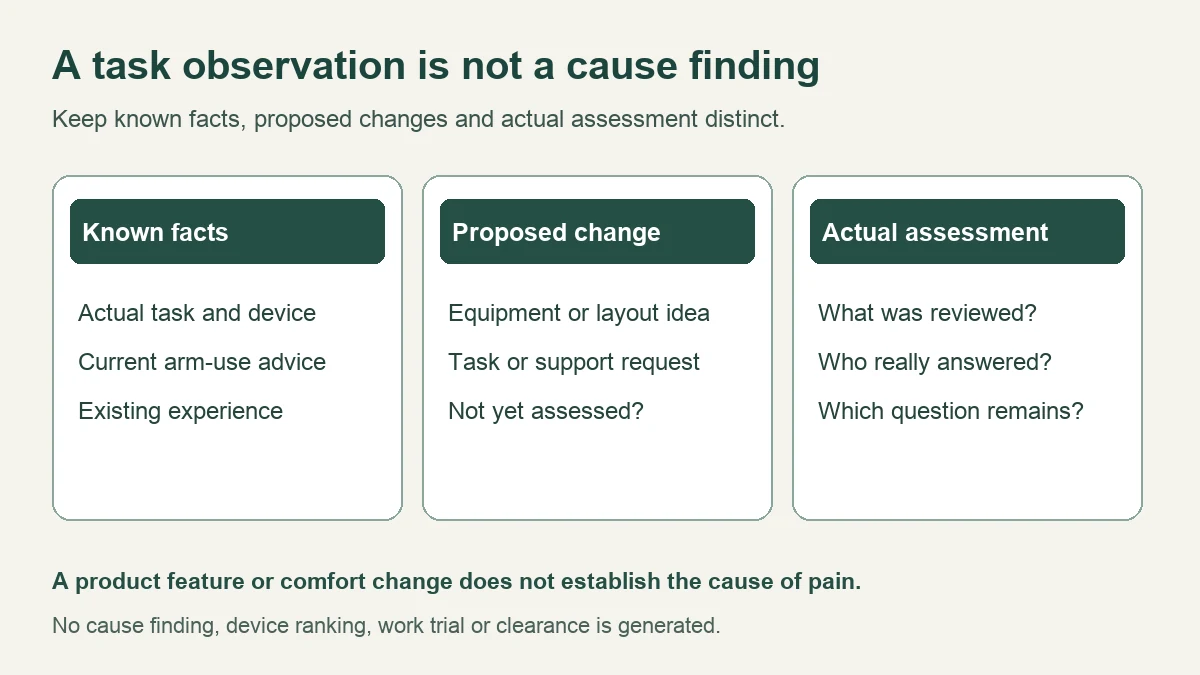
Keep a proposal separate from an assessment
State who suggested a change and whether the actual situation was reviewed. A sales explanation, photo, checklist and individual assessment are different. An apparently reasonable idea may still leave clinical, software, assistance or implementation questions open.
Confirm education and accepted support
Record what was actually taught and to whom. A delivered product is not training received, and a colleague nearby is not accepted help. Ask about the specific task or instruction that remains unclear without inventing an adjustment sequence.
Retain all relevant experience without a hierarchy
Pain, sensory change, fatigue, sleep, function and work barriers can all matter. Do not rank function above pain or treat a comfort change as a causal finding. Existing observations can be brief or incomplete; no repeated exposure is required.
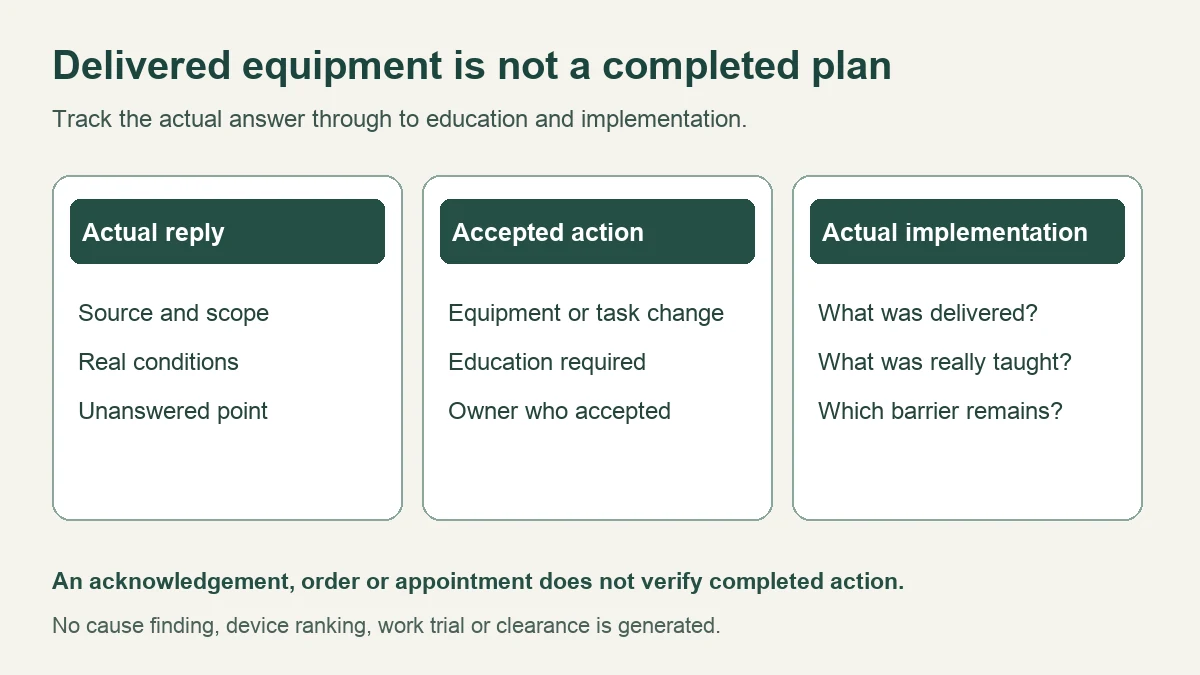
Follow the real answer through to implementation
Keep the substantive reply, conditions, accepted owner and action completed distinct. Equipment ordered, equipment installed, education delivered and a task change implemented are separate stages. Carry the remaining gap forward without inventing a safe interim arrangement.
What ergonomic evidence can and cannot establish
OSHA pointer/mouse guidance addresses placement, size, shape and settings as workstation risk factors. It supports examining the actual layout and device. It does not diagnose this reader’s shoulder or prove that a particular mouse treats their pain. A general recommendation about proximity is not a personal distance threshold or a work-clearance test.
Mayo Clinic office-ergonomics guidance considers the chair, keyboard, mouse and screen together. It provides general setup context, not a verified explanation of an individual symptom or proof that one workstation change outperforms medical care. Retain actual restrictions and ask how general suggestions apply instead of copying a universal posture target.
The Cochrane treatment review published October 28, 2026 assessed ergonomic interventions for adults with work-related arm, neck or shoulder complaints; evidence was current to June 1, 2026. Compared with no treatment or usual care, short-term benefits for pain, function, recovery and work-related outcomes were limited or absent in the included evidence, with important uncertainty and study limitations. It does not establish a best mouse or justify promising relief from a layout change.
This does not mean that every ergonomic change is useless or that a person’s reported improvement should be dismissed. Risk management, practical access, individual experience and demonstrated treatment efficacy are different questions. The review covers varied interventions and populations; it does not assess the reader’s actual device, task or accepted plan.
The 2018 Cochrane prevention review concerns preventing upper-limb and neck problems among office workers. Some findings involve an arm support combined with an alternative mouse. Prevention, treatment of existing symptoms and a mouse used alone are different comparisons. Do not convert a combined-intervention finding into a claim that a vertical mouse, trackball or central device treats every shoulder problem.
Royal Orthopaedic Hospital shoulder-surgery information concerns postoperative daily activities and movement restrictions. It is relevant when actual surgical instructions need clarification. It is not general evidence for choosing a computer mouse, a seven-day test or permission to work in a sling. Its specific techniques must not be borrowed as everyone’s instructions.
| Evidence or information | Useful role | Boundary |
|---|---|---|
| Workstation guidance | General risks and equipment/layout considerations. | Not a personal diagnosis or validated cause test. |
| Treatment research | Effects in studied symptomatic populations and interventions. | Not a product-specific promise or individual prescription. |
| Prevention research | Incidence or discomfort in prevention settings. | Not interchangeable with treatment of an existing condition. |
| Actual clinical or work reply | The question actually addressed, with scope and conditions. | Not permission for unaddressed tasks or proof of implementation. |
Compare candidate features without assigning devices by pain
Keep candidate equipment as a question until the relevant requirements and advice are addressed. A feature may change how input is made while also creating different demands. No category wins automatically, and no reader is assigned a product by a symptom pattern.
| Candidate or proposed change | Actual facts to compare | Question to retain |
|---|---|---|
| Conventional or vertical mouse | Actual size, controls, shape, settings, required motion and software compatibility. | What requirement is the proposal meant to address, and what remains unassessed? |
| Trackball or central pointing device | Actual thumb/finger controls, placement, task compatibility and education needs. | Would the proposed input demands conflict with known instructions or barriers? |
| Keyboard, software or task change | Actual shortcuts, access needs, task allocation and availability. | Who accepted the change and can it be implemented in the actual work? |
| Existing arrangement or no new purchase | Current facts, unresolved concern and real assessment or support response. | What remains needed without turning an unconfirmed product into the solution? |
A return policy is a commercial condition, not a clinical trial protocol. Record actual return, rental, support or compatibility terms if relevant, without converting them into a required seven-day work test. No new purchase, change of hand, timer, pointer setting or arm movement is prescribed here.
Separate actual answers, education and changes delivered
A useful question is: “These are my current instructions, this is the actual device and task, and this is the proposed change. Which part has been assessed, what education is needed, and who accepted responsibility for implementation?” Acknowledgement of the question is not the answer.
A manufacturer can explain product features without diagnosing shoulder pain. A clinician or therapist addresses individual questions within their remit. Occupational health or the relevant work contact may address work arrangements. Keep each actual reply and its limits rather than combining partial responses into a claim that the whole plan was approved.
Record accepted actions and conditions only as actually supplied. Then record what happened: product or software delivered, configuration completed by the appropriate role, education received, task changed or assistance provided. If an action remains unavailable, retain that barrier and the actual response. No guaranteed accommodation, universal approval sequence or resolved outcome is asserted.
Keep personal records private. A written task description can avoid exposing documents, account names, patients, clients or employer information in workstation photographs. The tool requests no screenshot upload. Share relevant information with consent and through an agreed private route; no full medical report or detailed workplace image is required to start a question.
Two fictional ergonomic mouse and implementation examples
These examples are invented, not real assessments, clinical answers or successful outcomes. They provide neither product selection nor a self-trial. Missing answers stay visible rather than being replaced with reassurance.
Example A: product features supplied, individual answer absent
| Record | Fictional entry |
|---|---|
| Existing concern | Shoulder discomfort and a keyboard/mouse task barrier were reported. No diagnosis or causal finding supplied. |
| Proposal | An alternative device has a feature description only; it was not selected from a pain map. |
| Assessment / reply | No individual workstation assessment, substantive clinical answer or work clearance supplied. |
| Actual work | Existing observations only. No painful reach or new work trial performed. |
| Completion / gap | No accepted change, completed education or resolved problem claimed. |
A note could say: “The product explanation describes features but does not answer my shoulder or actual task question. Please clarify what has been assessed and what remains outside the reply.” The feature description does not become a reason to work through symptoms.
Example B: arm-use restriction, work change not implemented
| Record | Fictional entry |
|---|---|
| Current instruction | An arm-use restriction was reported; exact procedure and wording are omitted. |
| Task mismatch | An existing work demand is unclear or conflicts with that instruction. |
| Proposal / response | Alternative equipment or task allocation was proposed. A contact acknowledged the request; no accepted plan or new clearance supplied. |
| Education / action | Review or teaching requested but not delivered. No permission to switch hands or work in a sling invented. |
| Remaining gap | Equipment setup, education and task-change implementation are not claimed complete. Needed care comes first. |
A note could say: “This is the actual instruction and work barrier. The request was acknowledged, but what arrangement was accepted and what has actually been delivered or taught?” The record creates no interim movement rule or waiting period.
Private mouse, actual task, reply and implementation record
Download the offline tool before entering actual health or work details. Use fictional entries here because surrounding ads and analytics may be present. The tool itself makes no network requests, uses no browser storage and does not automatically save. Its offline export contains no external assets or automatic network requests.
Start with one question; all fields are optional. Blank items generate questions, not a cause finding, product recommendation or readiness score. Omit names, identifiers, private contacts, employer/client information, screenshots and full reports. Paper with the same headings works. Needed care must not wait for a completed form.
Mouse, actual task, reply and implementation record
Start with one unresolved point. Blank fields create questions, not cause findings or work clearance.
Download the offline tool before entering actual health or work details. Use fictional entries here; surrounding ads and analytics may be present.
Offline copy. No ads, analytics, external assets or automatic network requests.
The tool makes no network requests, uses no browser storage and does not save automatically. Refreshing may lose entries. Omit names, identifiers, private contacts, employer/client information, screenshots and full reports. Needed care comes before this record.
Start with the fictional example or download a blank offline copy.
Paper alternative: actual instructions; equipment; task; proposal; assessment/education; actual work or non-use; experience; contact; real reply; accepted change; implementation and remaining gap.
My mouse, actual task, reply and implementation record
Unverified personal record for discussion. Entries verify no diagnosis, advice, completed change or treatment outcome.
Guide: living.kioptrix.com/ergonomic-mouse-for-shoulder-pain/
Build, copy, download text or print/save PDF. Editing hides old output until rebuilt. Examples replace entries and mark output fictional. Offline copies contain current entries and should be kept private. Refreshing or closing may lose unsaved notes. No recipient is contacted, and advice or implementation is not independently verified.
Common mouse and shoulder-work questions
Does pain during mouse use prove the mouse is the cause?
No. Retain the task observation without converting it into a diagnosis or causal result.
Does moving equipment closer prove a treatment worked?
No. A reported change can be useful to discuss, but it does not establish cause, clearance or a verified treatment effect.
Is a seven-day trial required before review or purchase decisions?
No. This page supplies no fixed trial or waiting period. Actual assessment and agreed arrangements remain distinct from return policies.
Is a vertical mouse or trackball best for shoulder pain?
No universal winner is established here. Compare actual requirements, product facts, advice and implementation barriers.
Must function be recorded before pain matters?
No. Pain, sensory change, sleep, fatigue, function and work barriers all deserve appropriate attention.
Does equipment delivery mean the work change is complete?
No. Configuration, education, accepted task changes and remaining barriers still need their actual records.
Sources, corrections and review limits
Editorial revision and source check: October 31, 2026. Original URL and publication date retained. The previous symptom-to-product mapping, eligibility prompts, mini cause calculator, fixed trial, arbitrary timers and repeated buying/reset requests are removed. The image implying reach was the confirmed cause is replaced. No unverified personal experience or medical review is claimed.
- OSHA: Pointer/Mouse and Mayo Clinic: Office ergonomics — general workstation considerations, not personal causal findings.
- Cochrane: Ergonomic interventions for treating work-related arm, neck or shoulder complaints (2026) — symptomatic treatment populations and uncertainty.
- Cochrane prevention review (2018) — prevention comparisons, including combined interventions.
- Mayo Clinic: Shoulder pain — symptom and contact context, not a complete online triage assessment.
- Royal Orthopaedic Hospital: Daily activities after shoulder surgery — postoperative context, not general mouse-selection evidence.
The representative image is AI-generated and shows unused equipment in a fictional discussion, not an approved posture or device demonstration. Diagrams separate known tasks, proposals, replies and actual implementation. Independent qualified review and reader usability testing would strengthen this guide; no actual workstation or outcome has been independently assessed.