
Written from a family caregiver perspective. The operator cares for an older mother with rheumatic, spinal and knee problems and is not a medical professional. This article offers general information, not individual clinical clearance.
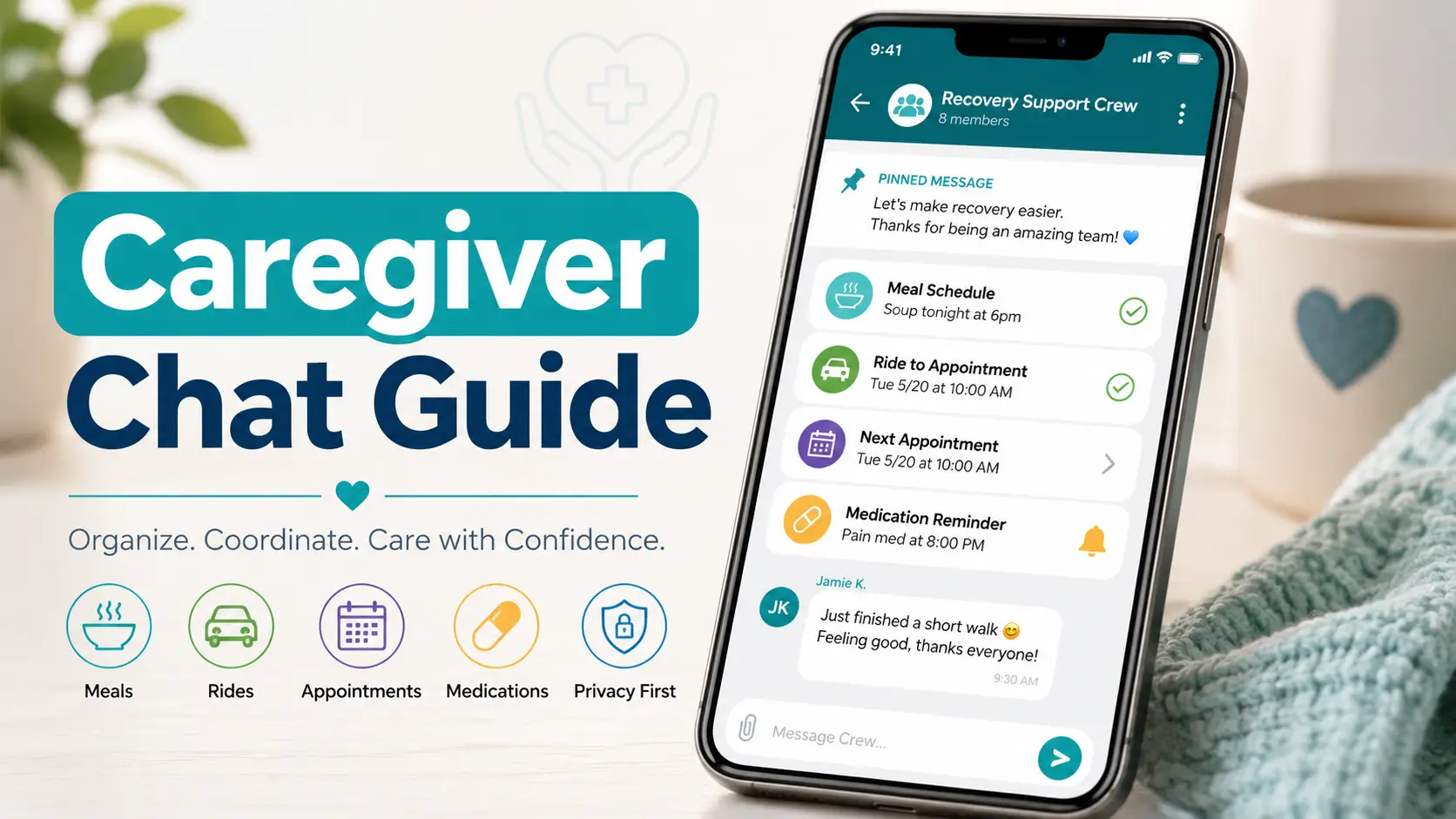
Post-surgery caregiving without the text-message thunderstorm
What to Put in a Caregiver Group Chat
After Surgery
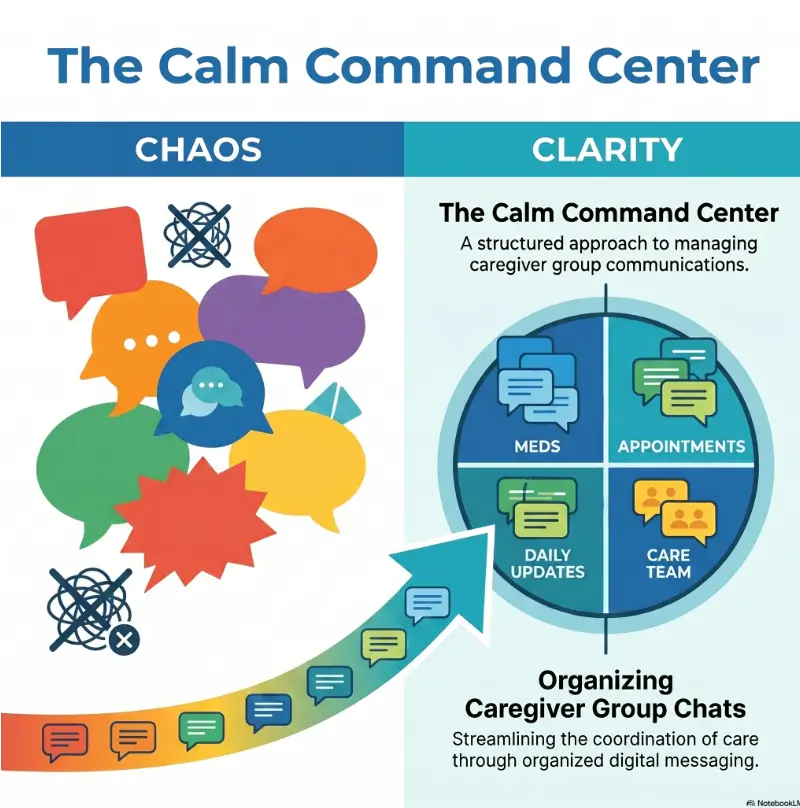
A caregiver group chat can be a small miracle or a tiny chaos machine. After surgery, people want to help, but help becomes heavy when five relatives ask the same question, three neighbors bring lasagna, and nobody knows whether the pharmacy pickup actually happened.
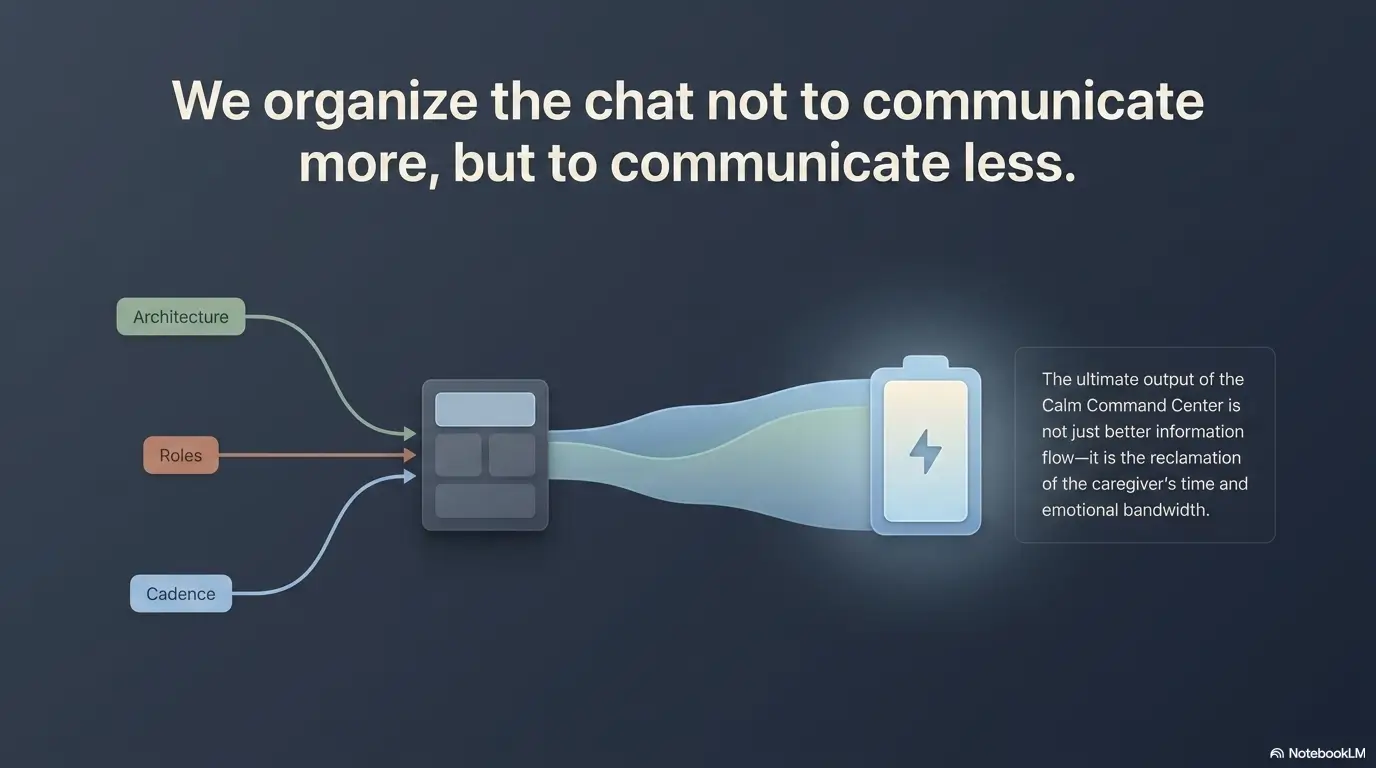
The goal is not to turn the patient’s recovery into a family news feed. The goal is to create a calm command center: short updates, clear roles, medication tracking without amateur medical advice, ride details, meal plans, appointment notes, and a plain rule for when texting should stop and real help should begin.
This guide shows exactly what to put in the chat, what to leave out, and how to keep the patient from becoming the unpaid help desk for their own recovery.
Less duplicate texting
Pin one recovery hub message so everyone knows where the basics live.
Safer task tracking
Separate medication reminders, rides, meals, symptoms, and appointments.
Better boundaries
Protect privacy, reduce noise, and keep the patient from managing everyone else.
A good caregiver chat should feel like a neatly labeled nightstand, not a room full of blinking alarms. 🟢
Snapshot
This article is for spouses, adult children, friends, neighbors, and family organizers coordinating post-surgery help by text. You will learn what to pin, what to track, how to assign roles, how to reduce notification overload, and when a group chat is not enough.
Table of Contents
READER WORKSHEET
Caregiver handoff message builder
Prepare a concise handoff to copy into your agreed communication channel.
Confirm and prepare
Add your working notes
Keep names, account numbers, member IDs, and other identifying details out of this worksheet.
Complete your worksheet to organize the next step. Blank amounts remain unknown.
How to use the result: This tool does not send messages or monitor care. Use secure channels for medical identifiers and detailed private records.
This worksheet does not save entries between visits or send them to a provider. Download before leaving; the downloaded file may contain your notes. It is a planning aid, not a diagnosis, safety assessment, coverage decision, or final bill.
Before you use a group chat as a recovery tool
This article helps caregivers organize communication. It does not diagnose symptoms, change medication instructions, or replace the surgeon’s discharge plan. Follow the written discharge instructions first. If symptoms seem urgent, worsening, unusual, or confusing, contact the care team, nurse line, urgent care, or emergency services instead of waiting for replies in a text thread.
Start With the One Message Everyone Needs
The first message in a caregiver group chat should not be a cheerful “Hi everyone!” followed by a slow avalanche of questions. It should be a practical recovery hub that gives people the basic facts, the house rules, and the next tasks.
Think of it as the front desk of the recovery plan. People can still be warm. They can still send encouragement. But the pinned message should make it very hard for helpers to accidentally create extra work.
The “recovery hub” message to pin first
Start with one clean message that names the patient’s preferred update style, the main coordinator, and the most important recovery logistics. Keep it factual. Keep it short enough that someone can read it while standing in a pharmacy line with one shoe untied.
- Patient’s first name or nickname, if they consent to being discussed in the chat.
- Surgery date and general recovery stage.
- Main caregiver or coordinator.
- Best emergency contact and non-emergency care team contact.
- Medication schedule location, without inviting debate.
- Upcoming appointment date, time, location, and ride owner.
- Meal needs, allergies, and delivery instructions.
- Quiet hours and visitor rules.
- What kind of updates the patient wants shared.
Key takeaway
The first message should answer the questions helpers are most likely to ask repeatedly: Who is coordinating? What is needed today? What should not be discussed in the chat?
What to include before anyone starts asking questions
Most caregiver chat clutter comes from missing basics. Someone asks whether the patient can have spicy food. Someone else asks which pharmacy. A third person asks whether they should visit tonight. None of those questions are wrong. They just belong in a system, not scattered like loose receipts.
Before inviting the full group, write down the basics in a note app or shared document. Then paste the essentials into the chat. For more detailed appointment notes, it can help to keep a separate record using a simple approach like caregiver notes for orthopedic appointments, especially when several people are helping an older adult.
The quiet detail that prevents 20 duplicate texts
Name one person as the chat coordinator. Not the boss of everyone’s feelings. Not the medical director of the living room. Just the person who keeps the thread organized and turns vague goodwill into finished tasks.
A good coordinator writes messages like, “Thanks, everyone. We have dinner covered Tuesday and Wednesday. Still need a pharmacy pickup today by 4 p.m.” That kind of sentence has the peaceful clink of a drawer closing.
Who This Is For, And Who Should Stay Out
A caregiver group chat should include people who can reduce the patient’s load. It should not include everyone who is curious, worried, dramatic, lonely, bored, or convinced they once read something very important about anesthesia on the internet.
This is where many families get uncomfortable. But clear boundaries are not cold. In post-surgery care, boundaries are often the softest blanket in the room.
Best-fit helpers: drivers, meal people, medication checkers, appointment buddies
The best people for the chat are the ones who can own a practical task. That may include a spouse managing the daily routine, an adult child handling follow-up appointments, a neighbor dropping off groceries, or a friend driving the patient to physical therapy.
- Drivers: rides to appointments, pharmacy stops, safe car entry, and return-home help.
- Meal helpers: simple food, hydration reminders, allergy-safe drop-offs, and cleanup.
- Medication trackers: schedule reminders and refill status, not medication advice.
- Appointment buddies: questions, notes, discharge instructions, and next-step summaries.
- House helpers: laundry, dishes, trash, pet care, mail, and safe walking paths.
For neighbors or friends who want to help but do not need access to every medical update, a separate helper thread may be kinder. A guide like how to ask a neighbor for help after surgery can keep support practical without opening the family command center to half the block.
Not-for-this-chat people: emotional spectators, gossip collectors, and advice flooders
Some people care deeply but help poorly. They turn every update into a question, every symptom into a dramatic theory, and every quiet recovery day into a digital porch gathering. Their concern may be real. Their presence may still be unhelpful.
Do not add someone just because they are family. Add them because their presence improves care, reduces labor, or supports the patient’s wishes.
Let’s be honest: not everyone needs access
If the patient is alert and able to decide, ask who they want included. If the patient is an older parent who values privacy, do not assume siblings, cousins, and in-laws all need surgical details.
A simple boundary works: “We’re keeping the recovery chat small so updates stay useful. We’ll send broader family updates separately when there’s something to share.”
| Person type | Best place for them | Why it matters |
|---|---|---|
| Primary caregiver | Main recovery chat | Needs real-time task and symptom context. |
| Driver or meal helper | Main chat or task-only chat | Needs logistics, not private medical details. |
| Distant relative asking for updates | Separate family update thread | Can receive news without adding noise. |
| Advice-heavy friend | Outside the recovery chat | Can overwhelm the patient and confuse decisions. |
The Surgery Snapshot: What Happened, What Matters Now
A surgery snapshot gives helpers enough context to be useful without turning the patient’s body into public property. The trick is to share what affects care, not every private detail.
For example, “Mom had knee replacement surgery on Monday and is home recovering. Main priorities this week: pain tracking, safe walking, medication timing, ice, meals, and the Thursday follow-up call.” That is useful. It does not need a dramatic reconstruction of the operating room.
Procedure name, surgery date, and recovery stage
Use the procedure name if the patient is comfortable sharing it. If not, keep it broad: “shoulder surgery,” “abdominal surgery,” “outpatient procedure,” or “joint surgery.” Add the date because recovery instructions often depend on timing.
- “Surgery was Monday, June 22.”
- “Today is Day 2 at home.”
- “Main focus is rest, hydration, short walks, and following discharge instructions.”
- “Visitors are paused until the patient asks for them.”
What the doctor said to watch closely
The chat should not invent warning signs. Use the discharge papers as the source of truth. If the written instructions say to watch for fever, wound drainage, calf swelling, breathing problems, uncontrolled pain, confusion, or other specific concerns, place that wording near the top of the recovery plan.
Caregivers should also know where the discharge papers are stored. A photo of the first page may be useful if the patient agrees, but avoid sharing pages that include unnecessary personal details.
What not to overshare about the patient’s body or diagnosis
Do not share wound photos, diagnosis details, medication labels, insurance information, hospital account numbers, or family conflict unless there is a direct care reason and the patient has agreed.
A privacy-safe update sounds like this: “Pain was higher this morning, but the care team has been contacted and we’re following their instructions.” It does not need to include a photo, a screenshot, or a committee debate.
The Calm Chat Framework
A caregiver chat works best when it moves in one direction: from scattered concern toward clear next action.
1
Pin Basics
Coordinator, contacts, schedule, privacy rules.
2
Assign Roles
One task, one owner, one deadline.
3
Track Tasks
Meals, rides, pharmacy, house help.
4
Share Updates
Brief, boring, factual, useful.
5
Escalate Fast
Call the care team when symptoms cross the line.
Assign Roles Before the Chat Becomes Soup
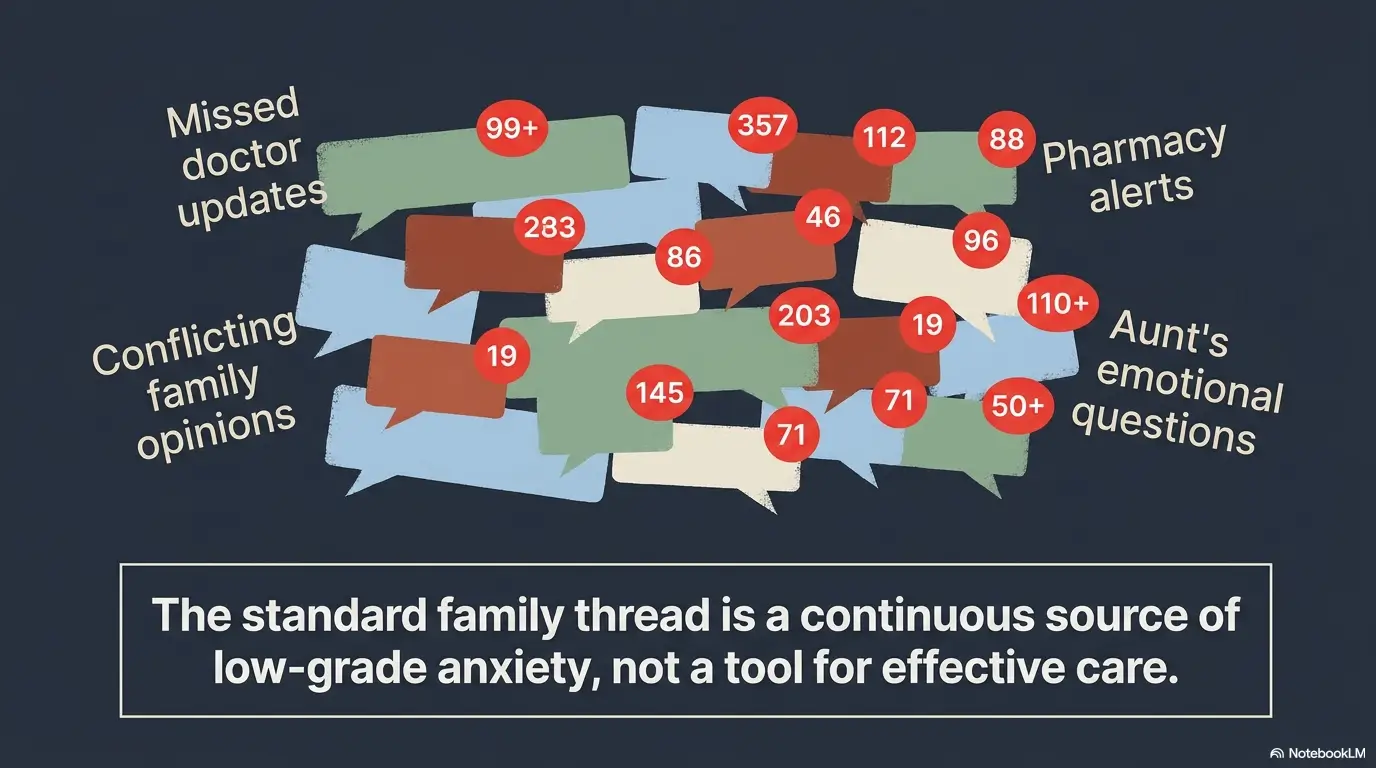
Caregiver chats go wrong when everyone is “available” but nobody is responsible. Availability is fog. Ownership is a porch light.
Every important task needs one owner and one deadline. Not three maybes. Not “someone should.” Not “I can maybe swing by unless work gets weird.” Recovery is already a lot. The chat should reduce ambiguity, not season it.
The ride captain, food captain, medication tracker, and appointment keeper
Start with four simple roles. In a small family, one person may hold more than one. In a larger group, divide them so the main caregiver is not carrying the whole tray alone.
| Role | What they handle | What they should avoid |
|---|---|---|
| Ride captain | Appointments, pharmacy pickups, safe car setup, mobility equipment reminders. | Changing appointment plans without confirming with the coordinator. |
| Food captain | Meal schedule, allergies, drop-off windows, portion sizes, cleanup needs. | Turning meals into a competition or surprise buffet. |
| Medication tracker | Timing reminders, refill status, side-effect notes to report, medication list location. | Adjusting, skipping, doubling, or debating medication instructions. |
| Appointment keeper | Follow-up dates, care team questions, visit notes, documents to bring. | Posting private clinical details beyond what the patient approved. |
How to avoid five people buying soup and no one picking up prescriptions
Ask for help in task language, not emotion language. “Can someone help this week?” sounds kind but makes people hesitate. “Can someone pick up prescriptions at Main Street Pharmacy today before 5 p.m.?” gives the right person something to grab.
For example: “Open task: trash pickup today after 6 p.m. Needs to be someone who can carry two bags down the driveway. Reply CLAIMED if you can do it.” That may not sound poetic, but after surgery, a clean instruction has its own music.
The rule: one task, one owner, one deadline
The most useful caregiver chat sentence is boring on purpose: “Task claimed by Jordan, due today by 3 p.m.” That sentence prevents confusion, duplicate effort, and the quiet resentment that forms when everyone assumes someone else handled it.
Key takeaway
A caregiver group chat should assign work, not just collect concern. Every open task should have a name, time, and clear finish line.
Show me the nerdy details
The strongest caregiver chat structure follows a simple operational pattern: source of truth, owner, timestamp, next action, escalation path. “Source of truth” means the discharge papers or care team instructions. “Owner” means one person is accountable. “Timestamp” prevents old information from floating around like a stale balloon. “Next action” tells the group what happens now. “Escalation path” tells helpers when to contact a clinician instead of texting opinions.
This matters because post-discharge care often includes many moving parts: medications, follow-up appointments, wound care instructions, transportation, mobility limits, food, sleep, pain tracking, and household safety. A chat that captures decisions in a consistent format lowers cognitive load for tired caregivers.
Medication Updates Without Creating Panic
Medication is one of the most important parts of a caregiver group chat, and also one of the easiest places to make a dangerous mess. The chat should track instructions, not create new ones.
Put another way: the group can help remember when something is due. The group should not decide whether the patient “really needs it.”
What belongs in the chat: timing, dose reminders, refill status
The safe lane for medication messages is narrow and useful. A medication tracker can post reminders, confirm doses were taken as prescribed, note refill needs, and flag questions for the care team.
- “Next scheduled medication is 2 p.m. per discharge sheet.”
- “Medicine __, dose __ actually taken at 2:05 p.m.; recorded by __.”
- “Pharmacy says refill will be ready after 4 p.m.”
- “Patient reports nausea after the morning dose. Adding to questions for nurse line.”
- “Medication list is taped inside the kitchen cabinet and saved in the shared note.”
The FDA encourages people to keep an up-to-date medication list that includes prescription drugs, over-the-counter medicines, vitamins, and supplements. For a recovery chat, that means the group should know where the official list is, not improvise from memory.
What does not belong: guessing, adjusting, or debating prescriptions
Do not use the group chat to debate opioids, antibiotics, blood thinners, anti-nausea medicine, stool softeners, or supplements. Do not let one confident cousin become the house pharmacist because they have a loud thumb and a search bar.
Medication questions should go to the surgeon’s office, pharmacist, nurse line, or prescribing clinician. If the patient seems confused about medications, a practical next step is to review the issue with a clinician and document what is happening. This is especially important for older adults, where a resource such as how to monitor medication confusion may help families notice patterns worth reporting.
Don’t do this: “They seem fine, skip the meds”
That sentence should not be in the chat. Neither should “Take an extra one,” “Try my supplement,” or “Stop that antibiotic if your stomach feels better.” Even well-meant medication improvising can cause harm.
A safer message sounds like this: “There’s a medication question. We are calling the pharmacist or surgeon’s office before making any changes.”
| Medication message | Risk level | Safer alternative |
|---|---|---|
| “Pain med taken at 8:10 a.m. as written.” | Low | Good tracking message. |
| “Can we move the next dose later?” | Medium | Ask the pharmacist or care team before changing timing. |
| “They look fine, skip it.” | High | Do not change medication instructions without medical guidance. |
| “Use my leftover pills instead.” | High | Never share prescriptions. Contact the prescriber or pharmacy. |
The Daily Update Template That Saves Everyone’s Nerves
Caregiver updates do not need to be dramatic to be valuable. In fact, boring updates are often the best updates. They tell the group that recovery is being watched, tasks are moving, and nobody needs to send a “checking in again” text every 27 minutes.
A daily rhythm also protects the patient. If helpers know an update comes each morning and evening, they are less likely to ping the patient directly while they are resting.
Pain level, appetite, mobility, sleep, wound status, and mood
Use categories that match the discharge instructions. For many post-surgery recoveries, the useful daily update includes pain, appetite, hydration, mobility, sleep, wound or dressing status, bathroom issues, mood, and open tasks.
Daily recovery update template
Morning update: Pain: __ / Appetite: __ / Hydration: __ / Walking or movement: __ / Sleep: __ / Wound or dressing: __ / Mood: __ / Today’s appointments: __ / Open tasks: __
Evening update: What improved: __ / What was harder: __ / Medication schedule followed: yes or needs review / Food covered tomorrow: yes or no / Questions for care team: __
A simple morning-and-evening rhythm
For many families, two updates a day are enough unless something changes. Morning is for the plan. Evening is for the recap. This gives helpers a rhythm without turning the chat into a live broadcast.
If the patient is easily overwhelmed, send one daily update instead. The group can still handle tasks quietly in between.
Here’s what no one tells you: boring updates are useful
“No major changes today” is not a useless message. It is a small lamp in the hallway. It tells helpers that someone is watching, the plan is moving, and there is no need to create noise.
The update does not need emotional decoration. “Pain controlled, ate soup, walked to bathroom with help, no new concerns, dinner covered” is a beautiful little machine.
Illustrative planning example
Illustrative example, not a reported patient case: a household has an unanswered question about patient consent and membership. The useful next step is to record the uncertainty, identify who can answer it and agree on a follow-up action, rather than assume that a familiar routine is suitable.
Meals, Rides, and House Help Need Their Own Rules
Post-surgery help often sounds easy until someone brings a casserole the patient cannot eat, a ride arrives in a low car after hip surgery, or a well-meaning friend expects the patient to entertain them for 45 minutes at the door.
Meals, rides, and house help need clear rules because they involve real energy, safety, cost, and timing.
Food allergies, dietary restrictions, and post-surgery appetite changes
Food help should be boringly specific. Include allergies, dietary limits, texture preferences, delivery windows, and whether the patient wants visitors or porch drop-off only.
- “No nuts, no grapefruit, low spice, small portions preferred.”
- “Drop food at the side door between 5 and 6 p.m. Please do not ring bell.”
- “Text the food captain, not the patient, with meal questions.”
- “Freezer is full after Wednesday, so please choose fresh fruit, soup, or breakfast items.”
Ride details: pickup time, pharmacy stop, wheelchair or walker needs
A ride after surgery is not just a car. It may require a vehicle with easier entry, a pillow, a walker, a wheelchair, a prescription stop, a parking plan, or someone who can help the patient safely get from the door to the passenger seat.
If mobility is part of the recovery, connect ride planning to the home setup. For example, families helping someone with walker use may also want to review walker path safety before the first follow-up visit.
How to offer help without making the patient manage you
The least useful offer is often the most common one: “Let me know if you need anything.” It is kind, but it hands the patient a clipboard.
Better: offer a specific task with a time window. “I can take out trash Monday evening or pick up groceries Tuesday morning. Which helps more?” Best: coordinate through the chat captain so the patient does not have to answer at all.
| Setup | Cost level | Best for | Watch out for |
|---|---|---|---|
| Free shared text thread | Free | Small family, simple recovery, low task volume. | Can become noisy without rules. |
| Shared spreadsheet or note | Free to low cost | Meals, rides, medication tracking, appointment questions. | Someone must keep it updated. |
| Meal train or scheduling tool | Free to low cost | Larger helper groups and recurring meal needs. | Privacy settings and notification settings matter. |
| Paid home help or caregiver support | Higher cost | Limited family availability, mobility risk, overnight needs, complex care. | Compare credentials, scope, cancellation terms, and what is not included. |
Key takeaway
Specific help beats vague help. The best caregiver messages remove decisions from the patient, especially when the patient is tired, medicated, or in pain.
Common Mistakes and Privacy Boundaries That Make Recovery Harder
A caregiver group chat can start with kindness and still become heavy. The most common mistakes are not usually cruel. They are noisy, vague, invasive, or too confident.
The cure is not to scold everyone. The cure is to set rules before the thread learns bad habits.
Mistake 1: turning the chat into a medical debate
A post-surgery chat should not vote on wound care, pain medication, mobility restrictions, antibiotics, blood thinners, or when the patient is “ready” to do more. That kind of debate can confuse tired caregivers and put pressure on the patient.
Use this rule: if the answer changes medical care, ask a clinician. If the answer changes who brings soup, the group can handle it.
Mistake 2: asking the patient to answer every message
After surgery, the patient may be tired, sore, groggy, constipated, bored, emotional, or all of the above before noon. Do not make them respond to every “How are you really?” text.
Route questions through the coordinator. The patient can join when they want to, not because the thread has become a tiny courtroom.
Mistake 3: sending vague offers like “Let me know”
Vague offers sound generous but often create more work. They require the patient or caregiver to identify a task, decide whether to impose, explain the task, and coordinate timing.
Try this instead: “I can bring groceries Tuesday after work. Please send me a list by 3 p.m., or I can choose basics: bananas, soup, yogurt, crackers, electrolyte drinks, and paper towels.”
Mistake 4: ignoring privacy because “we’re all family”
Family closeness does not cancel privacy. Ask before sharing photos, diagnoses, surgical details, medication names, insurance issues, or financial stress. If the patient would not want it repeated at a holiday table, do not place it in a group chat.
- Do not post wound photos unless the patient agreed and there is a clear care reason.
- Do not forward hospital paperwork to people who do not need it.
- Do not discuss bills, legal documents, family conflict, or caregiving resentment in the main thread.
- Do not use the chat to pressure the patient into visitors, phone calls, or recovery milestones.
Common mistake vs safer alternative
Risky
“Everyone, look at this incision photo. Does it seem normal?”
Safer
“There is a wound question. We are contacting the care team and will update only if instructions change.”
Symptoms: When the Chat Should Stop and Help Should Start
The group chat is useful for coordination. It is not the place to wait out serious symptoms. If the patient has symptoms listed as urgent in the discharge papers, or if something feels severe, sudden, or unsafe, move from texting to calling.
This section cannot cover every surgery or personal medical situation. The patient’s discharge instructions and care team should guide the actual plan.
Use the discharge papers as the source of truth
Discharge instructions often include what symptoms to watch, when to call the surgeon’s office, how to care for the incision, medication instructions, activity restrictions, bathing rules, and follow-up details.
AHRQ’s discharge planning materials emphasize plain-language home instructions, medication review, warning signs, and follow-up appointments. Those same categories make an excellent foundation for a caregiver group chat.
When to call the surgeon’s office or nurse line
Call the care team when symptoms match the discharge-paper warning list, when medication instructions are unclear, when pain is not following the expected pattern, when a wound question comes up, or when caregivers disagree about what the instructions mean.
For example, the CDC lists redness and pain around the surgical area, cloudy fluid draining from the wound, and fever as possible signs associated with surgical site infection. The exact meaning depends on the patient and procedure, so caregivers should report concerns instead of debating them.
When to seek urgent or emergency help instead of texting
Call emergency services for chest pain, trouble breathing, sudden confusion, fainting with ongoing symptoms, uncontrolled bleeding, signs of a severe allergic reaction, or sudden one-sided weakness or speech difficulty. Do not wait for the group, an office callback, or the next update. New calf swelling, warmth, redness, or pain needs prompt medical assessment; with chest pain or breathlessness, seek emergency help. Follow any additional procedure-specific emergency instructions.
An emergency message can be brief: “Calling emergency services now; please keep the line clear.” For a non-emergency medication or wound question, say: “Contacting the care team now.” Make the call before posting the update.
Key takeaway
The caregiver chat should never be a waiting room for urgent symptoms. Use it to coordinate who is calling, driving, documenting, or staying with the patient.
If you are trying to decide whether a parent needs more help after surgery, a broader home-safety lens can also help. This guide on signs a parent needs help after surgery may be useful when recovery is not going as smoothly as expected.
Message Templates Caregivers Can Copy
Templates are useful because tired people do not write their best sentences at 10:47 p.m. while trying to remember whether the ice pack is in the freezer or under the blanket.
Copy these, edit the details, and keep the tone calm.
First group chat message after surgery
Hi everyone. We’re using this chat to coordinate practical help during recovery. Please send questions here instead of texting the patient directly unless they contact you first. Main coordinator: __. Surgery was __. Current priorities: rest, medication schedule, meals, short walks, and follow-up appointment on __. Please keep messages short and avoid medical advice. If symptoms seem urgent, we will contact the care team rather than troubleshoot in the chat.
Daily recovery update message
Morning update: Pain is __ / 10. Slept __. Ate __. Hydration is __. Walked or moved __. Wound or dressing status: __. Mood: __. Today’s tasks: __. Open help needed: __. Questions for care team: __.
Meal train coordination message
Meal help this week: We need simple dinners for __ and __. Food limits: __. Preferred drop-off window: __. Please do not ring the bell. Reply with the day you can cover, and I’ll confirm so we avoid duplicates.
Medication reminder message
Medication reminder: Medicine __, strength __, prescribed dose __, due __ per the current instructions. Before giving it, check the shared actual-dose record. The designated person records the medicine, dose, time actually taken, and their initials; a reminder or chat reaction is not proof a dose was taken. For an uncertain, missed, or possibly duplicate dose, contact the pharmacist or prescriber rather than guessing. For a suspected overdose, contact poison control promptly even without symptoms; call emergency services for trouble breathing or inability to wake the patient.
“Please reduce notifications” boundary message
Thanks, everyone. To help the patient rest, let’s keep this chat for task updates and important recovery changes only. Encouragement is welcome, but please avoid repeated check-ins, side conversations, and direct texts to the patient unless they reach out first.
Good / Better / Best caregiver chat setup
| Setup level | What it includes | Best for | Cost and effort |
|---|---|---|---|
| Good | One group chat, pinned recovery hub, one coordinator. | Short recovery with a small helper circle. | Free and fast. |
| Better | Group chat plus shared note for meds, meals, rides, questions. | Families with multiple helpers and follow-up appointments. | Free to low cost, moderate upkeep. |
| Best | Chat, shared schedule, meal tool, appointment notes, backup caregiver plan. | Older adults, mobility limits, complex recovery, distant adult children. | May require paid tools, paid help, or extra coordination. |
There is no prize for using the fanciest system. The best caregiver group chat after surgery is the one people actually use, understand, and respect.
FAQ
What should I say in a caregiver group chat after surgery?
Start with the basics: surgery date, recovery stage, main coordinator, emergency and non-emergency contacts, medication schedule location, appointment details, meal needs, ride needs, visitor rules, and privacy boundaries. Keep the message short and pin it if your messaging app allows.
Should the patient be included in the caregiver group chat?
Include the patient if they want to be included and can participate without feeling overwhelmed. Some patients prefer to observe quietly. Others prefer a caregiver-only chat with occasional summaries. Ask the patient’s preference whenever possible.
How often should caregivers send surgery recovery updates?
For many recoveries, one or two updates a day are enough unless something changes. Morning can cover the plan for the day. Evening can summarize pain, appetite, mobility, sleep, open tasks, and questions for the care team.
What information should not be shared in a post-surgery group text?
Avoid sharing wound photos, private diagnoses, medication labels, hospital account numbers, insurance details, legal or financial issues, and family conflict unless there is a direct care reason and the patient agrees. Useful updates do not have to be dramatic.
How do you organize meals and rides after surgery?
Use specific tasks with dates, times, and owners. For meals, include allergies, drop-off windows, and whether visits are welcome. For rides, include pickup time, location, parking, mobility equipment, pharmacy stops, and whether the patient needs help getting in or out of the vehicle.
Who should be in charge of medication reminders?
Choose one careful person who can follow the written schedule and document timing. That person should not change doses, suggest skipping medication, or debate prescriptions. Medication questions should go to the pharmacist, surgeon’s office, nurse line, or prescribing clinician.
What should caregivers do if symptoms get worse?
Check the discharge instructions and contact the care team when symptoms match the warning list, seem unusual, or are worsening. For severe, sudden, or emergency symptoms, do not wait for group replies. Call emergency services or seek urgent care according to the situation.
How can I keep the group chat from overwhelming the patient?
Use one coordinator, limit membership, mute side conversations, post scheduled updates, ask helpers not to text the patient directly, and move emotional or family discussions out of the recovery thread. The chat should lower the patient’s workload, not give them a second job.
Next Step: Send the First Message Today
You do not need a perfect system before the patient comes home. You need one calm message, three assigned roles, and a shared agreement that medical concerns go to the care team, not the family voting booth.
In the next 15 minutes, write the recovery hub message. Name the coordinator. Add the care team contact, appointment date, medication-list location, meal needs, ride needs, and quiet hours. Then ask for three roles to be claimed: food, rides, and medication tracking.
That is enough to turn the chat from a buzzing drawer of loose batteries into something steadier. A small system. A quieter room. A little more care reaching the person who actually needs it.
15-minute action plan
- Copy the first group chat template.
- Replace blanks with the patient-approved details.
- Pin the message or repost it as the chat reference point.
- Assign food, ride, and medication tracking roles.
- Post the rule: emergency symptoms mean emergency services; other clinical concerns go to the care team without waiting for the chat.
Last updated: October 14, 2026
Keep the group chat useful and private
Use these prompts for a private note or your next care-team conversation. Record what is known and mark unanswered questions; completing this table does not establish safety, independence or treatment eligibility.
| Record or clarify | Question and next action |
|---|---|
| Patient consent and membership | What may be shared, with whom, and who removes access when someone no longer needs updates? |
| An assigned task | Who has accepted it, by when, and who is the backup? Silence is not acceptance. |
| A clinical concern | Who makes the call through the agreed clinical channel? The chat must not delay urgent help or substitute for medicine instructions. |
Keep the person’s own report separate from a helper’s observation. Share only with consent and only with people who need the information. Do not put identifying health details in public comments. The visit preparation tool can organize questions; it cannot assess symptoms or approve a task.
Background resource: NHS: falls and getting help. This resource supports general care planning; it does not validate every instruction elsewhere in this article.
Targeted caregiver edit: October 21, 2026. Added the topic-specific handover questions and clarified narrative examples and planning limits. Earlier clinical sections retain their previous review scope; this update is not a full medical review.