
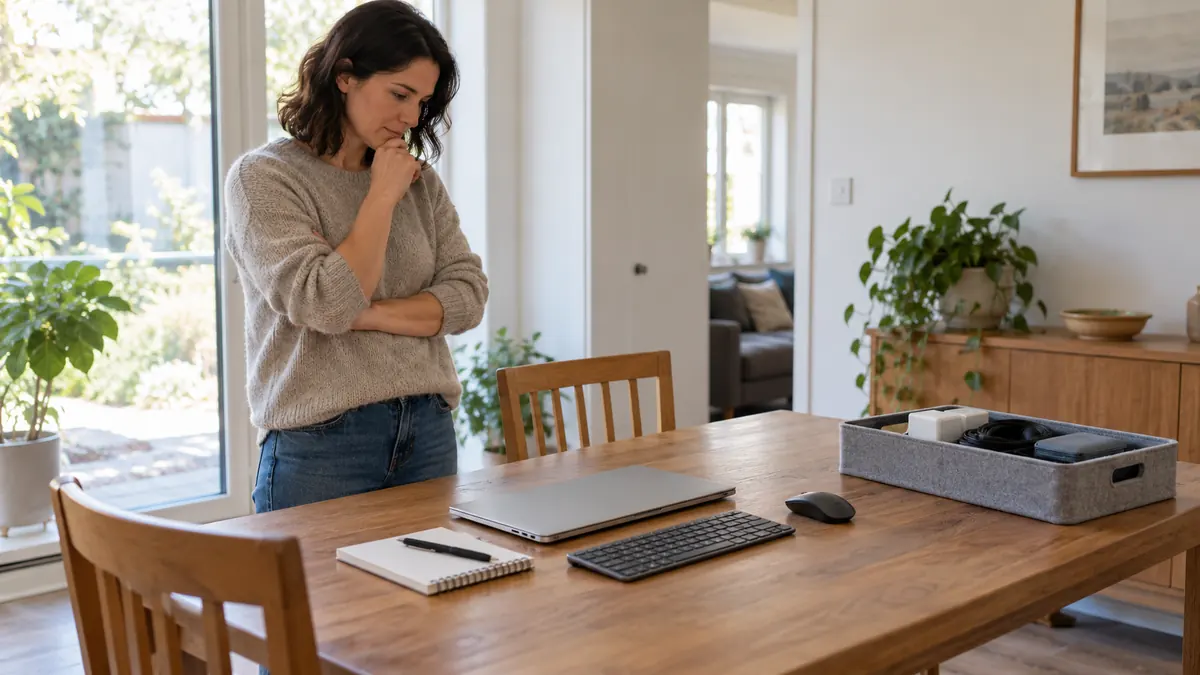
Remote work at a kitchen table needs connected adjustments. Raising a laptop changes both its screen and built-in keyboard. Changing seated height also changes foot support and space under the table. Packing everything away for meals can change the arrangement again. Review those links before treating any single adjustment as the solution to pain.
This guide is for remote workers using fixed dining furniture, limited equipment or shared household space. It provides seven checks, connected-change tables, two fictional writing examples and a free offline actual-use record. Jump to the record tool or see the examples. Ordinary workstation improvements can be practical; they do not diagnose symptoms or prove that continuing a particular task is medically appropriate.
Emergency symptoms come before workstation changes. With back pain, new difficulty passing urine or loss of bladder/bowel control, loss of feeling around the genitals/anus, symptoms such as weakness or numbness in both legs, chest pain or onset after a serious accident require emergency assessment. Use your local emergency service and do not drive yourself. Do not wait for a seven-day trial or routine equipment reply. See NHS back-pain guidance.
Seek urgent medical advice for sudden severe or rapidly worsening back pain, or back pain with feverishness, chills or feeling generally unwell. Arrange clinical assessment for persistent or worsening symptoms, loss of function, unexplained weight loss or concerns you cannot explain. New or worsening weakness, recurrent/spreading numbness or loss of dexterity should not be dismissed as a chair problem. This guide gives no symptom severity score, diagnosis or required waiting period. No warning-sign list can clear an individual to keep working.
Table of Contents
Seven connected checks for remote work at a kitchen table
| Check | What to look at together | Useful result |
|---|---|---|
| 1. Actual furniture and devices | The actual chair/table, laptop or display, keyboard/mouse, available space and stable support. | A description of what is available and what cannot adjust; no shopping list is assumed. |
| 2. The real task | Typing, reading, video calls and other tasks can use the same space differently. | Record ordinary task conditions rather than working longer to provoke a comparison. |
| 3. Linked adjustments | Screen and inputs; seat height and feet/clearance; back support and usable seat depth. | Identify what else changes when one element moves. |
| 4. Viewing and contact | Readable text, glare, glasses, reach and any pressure against a hard table or seat edge. | An actual concern to address, not a pain-location diagnosis. |
| 5. Shared use and routine | Packing away, reassembly, cables/access, intended activity changes and real schedule constraints. | A repeatable arrangement and a record of what actually happened. |
| 6. Existing observations | Improvement, no change or new difficulty already noticed during ordinary use. | A description with context; no proof of cause or treatment success. |
| 7. Help and real answers | Actual equipment/assessment question, reply received, source/date and unresolved issue. | Keep a request separate from delivery, assessment and clinical review. |
These checks organize a review; they do not pass or fail your body or certify a workstation. Use the sections relevant to your situation. An incomplete record is enough to ask a useful question. Do not sit longer, repeat a painful position or wait until the end of a trial to make the notes more complete.
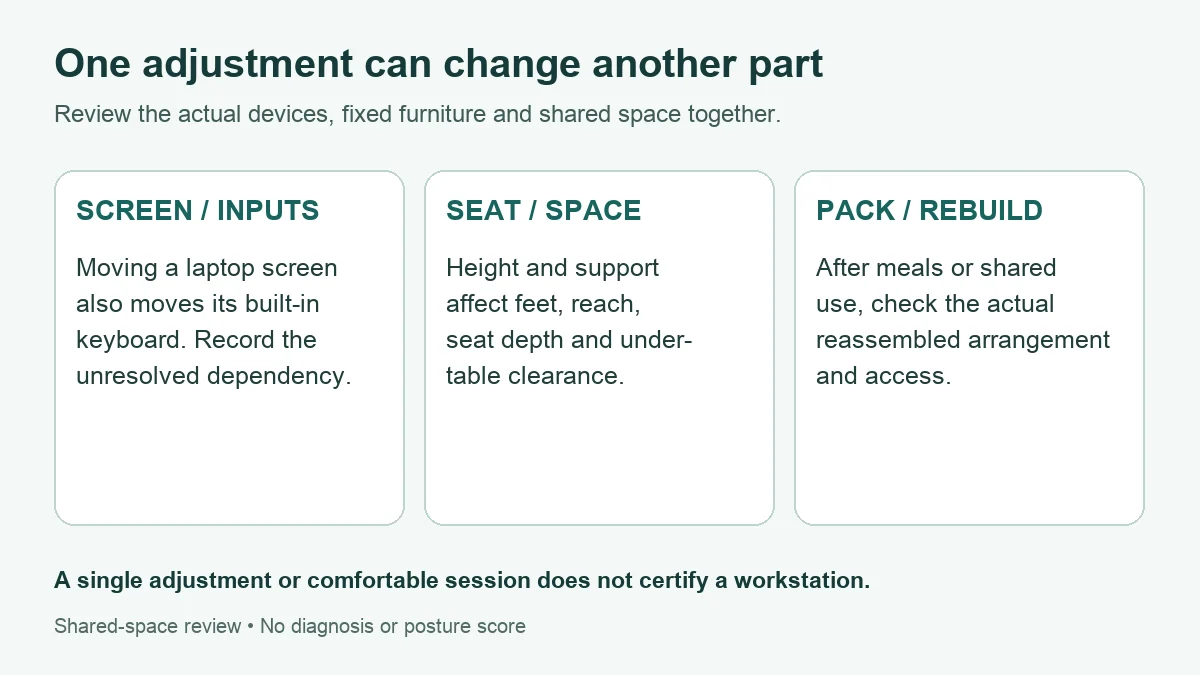
What the remote-work sources support
HSE’s home-working guidance recognizes that home furniture may or may not be sufficient and that an assessment should inform equipment needs. It also distinguishes trained self-assessment from simply handing someone a checklist. Its legal statements concern the applicable UK framework; this article does not promise the same equipment funding or employment rights in every country.
HSE’s workstation guidance presents support, screen and input placement together. For prolonged laptop use it considers separate input devices so viewing and hand positions can be arranged independently. These are practical reference principles, not evidence that one adjustment cures a reader’s neck, wrist or back symptoms. The linked-change table below is an editorial organizing aid, not a validated clinical assessment.
OSHA’s workstation evaluation checklist considers the user and workstation together, including screen readability and bifocal/trifocal use. It supports checking a viewing position without forcing the neck forward or backward rather than always raising the screen to one rule. It does not diagnose the cause of pain from a photograph or symptom location.
OSHA’s desk guidance addresses workspace, under-table clearance and contact stress at hard edges. Resting an arm on a hard leading edge can be a concern rather than automatic support. This guide therefore does not tell every reader to press their forearms on a dining-table edge or build a stack of improvised supports.
These sources do not establish that inexpensive adjustments outperform an expensive chair, that a particular product is necessary, or that seven days of improvement rule out a medical condition. They can help frame a workstation question. Diagnosis, treatment and individual clinical advice belong with an appropriate professional. Routine environment changes and clinical assessment can be addressed alongside one another.
Compare connected changes in a fixed remote-work setup
| Change being considered | Connected effects to check | If a dependency is unresolved |
|---|---|---|
| Raise a laptop screen | Its attached keyboard/touchpad also move; separate inputs need actual availability and usable space. | Do not treat screen height alone as a completed solution. Record the input-access problem and ask about a practical arrangement or equipment. |
| Change seated height | Feet, seat stability, reach and space between thighs and table can all change. | Review the combined fit. Do not keep adding height while foot support or clearance remains unresolved. |
| Add back or seat support | Usable seat depth, stability, pressure, access and relative working height may change. | A softer feel is not proof of better fit. Record the actual effect and any new limitation. |
| Move or raise a screen | Readability, distance, glare, task and glasses influence viewing; the mouse/keyboard still need space. | Use readable text and a position that avoids forced head movement as review principles, and seek help for unresolved viewing needs. |
| Provide arm support | Reach, table-edge shape and pressure on forearms/wrists matter. | Do not assume a hard edge is useful support. Identify the contact concern rather than diagnosing numbness from it. |
| Pack away for meals / reinstall | Chair position, equipment placement, feet/leg space, cables and access can differ next time. | Check the actual reassembled arrangement. An earlier comfortable session does not establish that today’s setup is the same. |
| Plan an activity change | Calls, typing demands, task availability and actual execution can differ from a reminder. | Record what happened and what prevented the plan. Planned break minutes are not measured tissue-load reduction. |
Begin with what is actually available. A laptop-only arrangement and a laptop with separate keyboard/mouse offer different options. If you cannot arrange viewing and inputs comfortably together, that limitation is a useful assessment or equipment question. The answer is not automatically a new chair, an improvised riser or a direction to continue an awkward arrangement.
For simple adjustments, consider the whole arrangement and its stability, support and access. Do not modify furniture structurally, create unstable stacks or block leg space to imitate a diagram. Follow equipment instructions where relevant. If a change produces a new problem or cannot be made reliably, record that barrier and seek practical help rather than forcing a supposedly correct posture.
A shared kitchen table adds a repeatability problem that a permanent desk may not have. You may remove equipment for meals, another person may move the chair, or the available surface may change. Keep a short non-identifying setup note or simple sketch if useful. Recheck the arrangement after reassembly instead of assuming an earlier configuration was reproduced.
A photo is optional. If you choose to keep one privately, avoid capturing work screens, documents, people, addresses or other household details. The tool below accepts no photo uploads. A picture can help describe an arrangement, but it cannot certify posture or diagnose a condition. A written description is enough to begin a conversation.
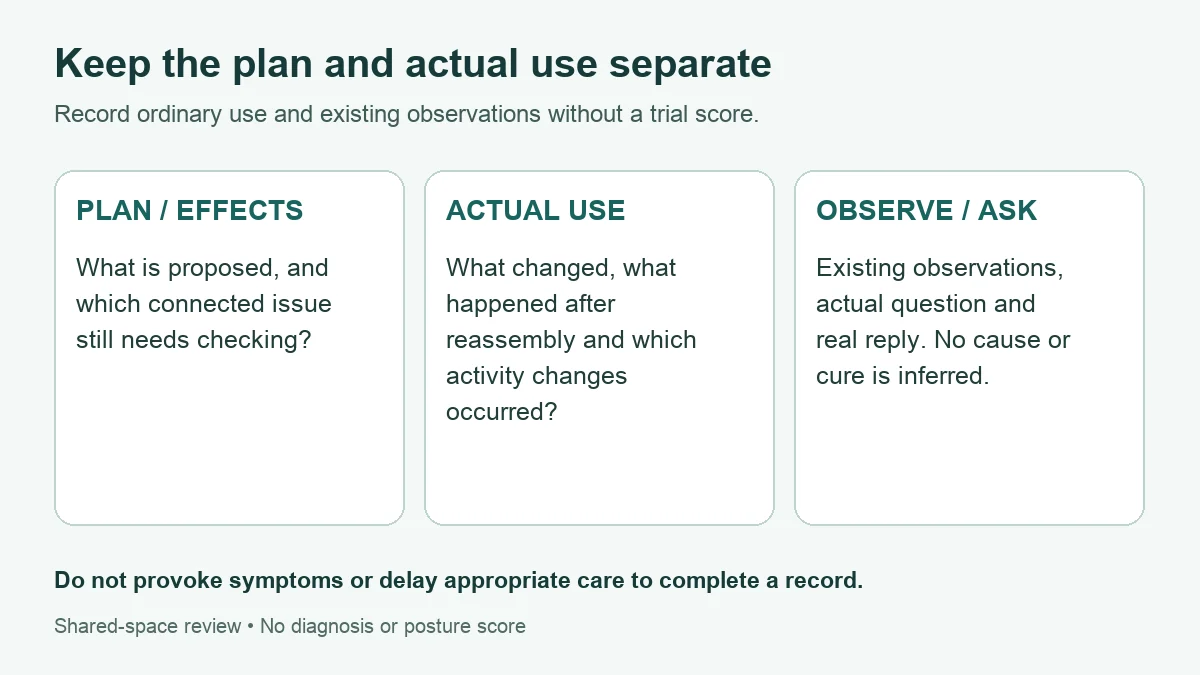
Record remote-work plans separately from actual use
| Record | Useful entry | Avoid concluding |
|---|---|---|
| Existing conditions | Actual devices, fixed features, shared-space constraint and ordinary task. | The chair is the cause because symptoms appeared during computer work. |
| Proposed change | What you are considering and which connected effect needs checking. | A proposal has already been implemented or its benefit is established. |
| Actual change/use | What changed, what did not, task context and any difference after reassembly. | A completed setup or earlier comfortable session proves future safety. |
| Routine plan / actual execution | Intended activity change, what happened and any barrier. | A reminder was followed, or time away equals a quantified reduction in physical harm. |
| Observation | An existing benefit, no change or difficulty, with onset/context if known. | A better feeling proves which tissue was involved or rules out a condition. |
| Contact / reply | Actual question, recipient role, source/date, pending status and real answer. | A request is equipment delivery, an assessment or medical advice. |
Describe ordinary use rather than conducting an endurance experiment. You can note what has already been noticed without holding a posture longer, reproducing tingling or comparing two painful arrangements. There is no required number of sessions or days. If you are worried about a symptom, seek appropriate advice without waiting to build a complete timeline.
Changing one item and noticing a difference can be useful information, but ordinary life is not a controlled causal test. Task, duration, sleep, other activity or the arrangement itself may differ. Keep a clear description instead of labeling the change a cure or using it to decide that professional assessment is unnecessary.
An equipment or workstation question and a medical question are different conversations. A workplace contact may confirm device availability; a suitably trained assessor may review the arrangement; a clinician may evaluate symptoms. Keep the scope of the answer. If no employer service is available, ask about an appropriate local assessment route rather than assuming a particular benefit or service is guaranteed.
Activity changes without a load calculator or fixed trial
HSE’s work-routine guidance favors short, frequent breaks or changes of activity and notes that timing depends on the work. Its examples are guidance within that context, not an individualized treatment interval. A reminder can support a routine, but it does not prove an activity change occurred. Discuss actual work barriers and relevant individual limitations.
This guide sets no universal 30–45-minute schedule and makes no claim that a 20–90-second movement is sufficient treatment. It also generates no exercise, stretch or standing prescription. Follow any actual clinical instructions relevant to you and use suitable ordinary activity changes rather than forcing a movement that causes difficulty.
Adding up planned non-sitting minutes is arithmetic, not a measure of tissue load, injury risk or treatment effect. Standing is not interchangeable with every other activity, and the work you do during a pause matters. The record therefore separates intended activity changes from real execution and asks what prevented the plan; it computes no saved-load total.
Pain relief should not be presented as a moral failure or an attempt to hide the truth. Use medicines and any prescribed treatment as directed and ask the clinician or pharmacist about uncertainty. This article does not select heat/ice, change medication or rank symptom treatments against equipment. Persistent or concerning symptoms deserve assessment alongside practical workstation review.
Two fictional remote-work change-record examples
These are invented writing examples, not personal experience, client testimonials or evidence of improvement. They supply no real clinician or assessor answer. Their purpose is to show a connected issue and preserve an unanswered question. Loading either example in the tool replaces existing entries.
Example A: screen raised, input access unresolved
| Record | Fictional entry |
|---|---|
| Existing conditions | Laptop on a fixed dining table; no separate keyboard or mouse available. |
| Proposed / actual change | A screen-position change was considered and the laptop was reportedly raised. No height or support method is prescribed. |
| Connected effect | Input access became difficult. This is an observation, not advice to continue the arrangement. |
| Question / answer | A question about separate inputs or assessment was sent to the relevant workplace contact. Reply pending; no delivery or assessment is assumed. |
| Remaining issue | How can viewing and input access be considered together given actual equipment and space? No cause or successful outcome is inferred. |
Writing sample: “I have a laptop-only setup. After changing the display position, input access was difficult. I have kept the viewing and input issues together rather than treating the screen change as a completed fix. My equipment/assessment question is pending; what practical arrangement can be considered within the actual space?”
Example B: seat change and a different arrangement after meals
| Record | Fictional entry |
|---|---|
| Shared-space constraint | The dining space is packed away for meals and later reassembled. |
| Proposed change | A seated-height change was considered. No cushion, height or foot-support product is recommended. |
| Actual use / connected effect | After the reported change and reassembly, foot support and under-table space differed from the earlier arrangement. |
| Observation / routine | Existing difficulty and actual activity changes are recorded separately. No saved-load minutes or medical result is calculated. |
| Remaining question | Which linked issue remains unresolved and what help or assessment can be discussed? No actual professional answer is supplied. |
Writing sample: “The equipment is removed for meals. After reassembly and a seat change, the foot support and space under the table were different. I have recorded the actual arrangement and difficulty rather than reproducing it as a test. What practical help can address the linked constraints?”
Free remote-work linked-change and actual-use record
The tool has 11 optional fields covering the existing setup, task, constraints, proposed change, connected effects, actual use/reassembly, routine, observations, contact, real reply and remaining question. Blank fields generate optional prompts. Full fields remain unverified notes. It provides no posture score, clinical screening, treatment, equipment ranking or clearance.
Try fictional examples here. Download the offline HTML copy before entering actual health, household or workplace notes. The live website may use site services. The downloaded tool contains no ads, analytics, external assets, automatic network requests or browser storage. It needs no account or email. Entries are not automatically saved; completed exports include your notes and should remain private.
Use non-identifying summaries instead of names, addresses, employer details, work screenshots or full medical records. No photos are required or uploaded. Build the record, copy it, download text or print/save PDF through your browser. Editing hides the old output until rebuilt. Nothing is submitted to a workplace, assessor or clinician. If it does not load, use paper with the same headings without delaying care.
Remote-work linked-change and actual-use record
Keep the existing shared-space setup, a proposed change, connected effects, actual use, observations and real replies separate. No diagnosis, posture score or treatment plan is generated.
For actual health or workplace notes, download the offline tool first. Try the fictional example here. The offline copy contains no site ads, analytics or external assets and needs no account.
Offline copy. This file contains no ads, analytics, external assets or automatic network requests.
The tool uses no network requests or browser storage. Unsaved changes can be lost on refresh or close. Exported files contain your entries; keep them private. Avoid names, addresses, employer details, screenshots of work or full medical records. Photos are not required or uploaded.
Start with the fictional example or download a blank offline copy.
If the tool does not load, use paper: existing setup; task and constraints; plan; connected effects; actual change/use; routine; observations; contact and real reply. Do not delay care for a worksheet.
My remote-work linked-change and actual-use record
Unverified personal record for discussion. These are unverified personal notes, not medical advice, a workstation assessment or proof of safety. Filled fields verify no setup, change, observation or reply.
Guide: living.kioptrix.com/orthopedic-pain-management-for-remote-workers/
Common remote-work kitchen-chair questions
Must I replace the chair first?
There is no universal first purchase. Describe the actual furniture, task and equipment gaps, then review linked effects. An ordinary chair may or may not be sufficient; price and the word “ergonomic” do not establish individual suitability.
Should I raise a laptop if I have no separate inputs?
The built-in screen and inputs move together. Review both needs and the actual space; do not treat display height as a completed solution while input access is unresolved. Ask about practical equipment or assessment options.
Do I need a perfect posture or fixed dimensions?
This record supplies no personalized measurement or ideal-posture score. Consider support, viewing, access and ordinary position variation together. Glasses and task needs can affect the arrangement.
How long should I keep testing changes?
This guide sets no seven-day trial or waiting requirement. Record existing information and seek assessment for persistent, worsening or concerning symptoms. Emergency symptoms require immediate help rather than another workstation change.
Does feeling better prove the workstation caused the pain?
No. Improvement is useful to describe but does not establish cause, identify a tissue or rule out a medical condition.
Does the tool calculate saved sitting load?
No. Planned or actual minutes are not converted into a harm-reduction or treatment score. Record the activity, what actually happened and any barrier.
Can I use the same setup after packing it away?
Check the actual reassembled arrangement and any changed constraints. An earlier note is a reference, not proof that device placement, foot support, clearance or access remained the same.
Sources, corrections and review limits
- HSE: Using computers and laptops safely at home — home-work assessment and equipment context; legal statements have a UK scope.
- HSE: Good posture when using display screen equipment — connected workstation reference principles; not a clinical treatment trial.
- HSE: Work routine and breaks — work-dependent activity-change guidance; not a universal medical interval.
- OSHA: Computer workstation evaluation checklist — user/workstation review including viewing needs; not diagnosis from a photo.
- OSHA: Desks and work surfaces — space, clearance and contact-stress context; not instructions to structurally modify home furniture.
- NHS: Back pain — clinical contact and emergency warning signs; not a remote-work symptom score.
Editorial correction and source check: October 29, 2026. Removed the seven-day eligibility checklist, five-tier symptom map, unsupported movement-duration claims, load-reduction calculator, treatment/product superiority claims and unverified first-person, friend and client stories. Replaced isolated “raise the screen first” advice with connected checks. Removed duplicate imagery and the embedded video. The original URL is retained.
The hero is AI-generated fictional editorial artwork. The body diagrams illustrate record organization, not a certified workstation, posture prescription or treatment result. No independent clinical, ergonomics or occupational-health review, real-user usability study or improved outcome is claimed. Functional tool checks do not establish clinical validation. Our background and editorial approach.